
다음 참석자 중 한 명 Java 개발자를 위한 Kubernetes 교육 는 간소화된 쿠버네티스 개발 및 테스트를 위해 미니큐브를 사용해 볼 것을 제안했습니다. 이 블로그에서는 다음을 보여드립니다.
간단한 Java 애플리케이션을 사용하여 미니큐브를 시작하는 방법에 대해 알아보세요.

미니큐브 는 신속한 개발 및 테스트를 위해 로컬 머신에서 단일 노드 Kubernetes 클러스터를 시작합니다. 요구 사항 목록
다양한 운영 체제에 대한 정확한 요구 사항을 확인합니다.
이 블로그에서 확인할 수 있습니다:
- 하나의 노드 Kubernetes 클러스터 시작하기
- 카우치베이스 서비스 실행
- Java 애플리케이션 실행
- Kubernetes 대시보드 보기
이 블로그에서 사용된 모든 쿠버네티스 리소스 설명 파일은 다음 링크에 있습니다. github.com/arun-gupta/kubernetes-java-sample/tree/master/maven.
미니큐브를 사용하여 쿠버네티스 클러스터 시작하기
라는 이름으로 새 디렉터리를 만듭니다. 미니큐브. 해당 디렉터리에서 다음을 다운로드합니다. kubectl CLI:
|
1 |
curl -Lo kubectl https://storage.googleapis.com/kubernetes-release/release/v1.4.0/bin/darwin/amd64/kubectl && chmod +x kubectl |
다운로드 미니큐브 CLI:
|
1 |
curl -Lo minikube https://storage.googleapis.com/minikube/releases/v0.10.0/minikube-darwin-amd64 && chmod +x minikube |
클러스터를 시작합니다:
|
1 2 3 |
minikube start Starting local Kubernetes cluster... Kubectl is now configured to use the cluster. |
노드 목록을 볼 수 있습니다:
|
1 2 3 |
kubectl get nodes NAME STATUS AGE minikube Ready 2h |
클러스터에 대한 자세한 내용은 다음을 사용하여 얻을 수 있습니다. kubectl 클러스터 정보 명령을 사용합니다:
|
1 2 3 4 5 |
kubectl cluster-info Kubernetes master is running at https://192.168.99.100:8443 kubernetes-dashboard is running at https://192.168.99.100:8443/api/v1/proxy/namespaces/kube-system/services/kubernetes-dashboard To further debug and diagnose cluster problems, use 'kubectl cluster-info dump'. |
백그라운드에서 가상 박스 가상 머신이 시작됩니다. 지원되는 전체 명령 집합은 다음을 사용하여 확인할 수 있습니다. --help:
|
1 2 3 4 5 6 7 8 9 10 11 12 13 14 15 16 17 18 19 20 21 22 23 24 25 26 27 28 29 30 31 32 33 |
minikube --help Minikube is a CLI tool that provisions and manages single-node Kubernetes clusters optimized for development workflows. Usage: minikube [command] Available Commands: dashboard Opens/displays the kubernetes dashboard URL for your local cluster delete Deletes a local kubernetes cluster. docker-env sets up docker env variables; similar to '$(docker-machine env)' get-k8s-versions Gets the list of available kubernetes versions available for minikube. ip Retrieve the IP address of the running cluster. logs Gets the logs of the running localkube instance, used for debugging minikube, not user code. config Modify minikube config service Gets the kubernetes URL for the specified service in your local cluster ssh Log into or run a command on a machine with SSH; similar to 'docker-machine ssh' start Starts a local kubernetes cluster. status Gets the status of a local kubernetes cluster. stop Stops a running local kubernetes cluster. version Print the version of minikube. Flags: --alsologtostderr[=false]: log to standard error as well as files --log-flush-frequency=5s: Maximum number of seconds between log flushes --log_backtrace_at=:0: when logging hits line file:N, emit a stack trace --log_dir="": If non-empty, write log files in this directory --logtostderr[=false]: log to standard error instead of files --show-libmachine-logs[=false]: Whether or not to show logs from libmachine. --stderrthreshold=2: logs at or above this threshold go to stderr --v=0: log level for V logs --vmodule=: comma-separated list of pattern=N settings for file-filtered logging Use "minikube [command] --help" for more information about a command. |
카우치베이스 서비스 실행
만들기 카우치베이스 서비스:
|
1 2 3 |
kubectl create -f couchbase-service.yml service "couchbase-service" created replicationcontroller "couchbase-rc" created |
그러면 카우치베이스 서비스가 시작됩니다. 이 서비스는 복제 컨트롤러에서 생성한 파드를 사용합니다. 복제 컨트롤러는 단일 노드 Couchbase 서버를 생성합니다. 구성 파일은 다음 위치에 있습니다. github.com/arun-gupta/kubernetes-java-sample/blob/master/maven/couchbase-service.yml 처럼 보입니다:
|
1 2 3 4 5 6 7 8 9 10 11 12 13 14 15 16 17 18 19 20 21 22 23 24 25 26 27 28 29 30 31 32 33 34 35 36 |
apiVersion: v1 kind: Service metadata: name: couchbase-service spec: selector: app: couchbase-rc-pod ports: - name: admin port: 8091 - name: views port: 8092 - name: query port: 8093 - name: memcached port: 11210 --- apiVersion: v1 kind: ReplicationController metadata: name: couchbase-rc spec: replicas: 1 template: metadata: labels: app: couchbase-rc-pod spec: containers: - name: couchbase image: arungupta/oreilly-couchbase ports: - containerPort: 8091 - containerPort: 8092 - containerPort: 8093 - containerPort: 11210 |
Java 애플리케이션 실행
애플리케이션을 실행합니다:
|
1 2 |
kubectl create -f bootiful-couchbase.yml job "bootiful-couchbase" created |
구성 파일은 다음 위치에 있습니다. github.com/arun-gupta/kubernetes-java-sample/blob/master/maven/bootiful-couchbase.yml 처럼 보입니다:
|
1 2 3 4 5 6 7 8 9 10 11 12 13 14 15 16 17 18 |
apiVersion: batch/v1 kind: Job metadata: name: bootiful-couchbase labels: name: bootiful-couchbase-pod spec: template: metadata: name: bootiful-couchbase-pod spec: containers: - name: bootiful-couchbase image: arungupta/bootiful-couchbase env: - name: COUCHBASE_URI value: couchbase-service restartPolicy: Never |
이것은 일회성 작업 실행 는 Java(Spring Boot) 애플리케이션을 실행하고 Couchbase에서 JSON 문서를 업서트(삽입 또는 업데이트)합니다. 이 작업에서는 COUCHBASE_URI 환경 변수 값
로 설정되어 있습니다. 카우치베이스 서비스. 앞서 생성한 서비스 이름입니다. 이 서비스에 사용된 도커 이미지는 아룽업타/부티풀-카우치베이스 를 사용하여 생성되며 패브릭8-maven-플러그인 에 표시된 것처럼 github.com/arun-gupta/kubernetes-java-sample/blob/master/maven/webapp/pom.xml#L57-L68. 특히, Docker
이미지입니다:
|
1 |
java -Dspring.couchbase.bootstrap-hosts=$COUCHBASE_URI -jar /maven/${project.artifactId}.jar |
이를 통해 다음을 보장합니다. COUCHBASE_URI 환경 변수가 재정의되고 있습니다. spring.couchbase.bootstrap-hosts 속성에 정의된 대로 application.properties 의 스프링 부트 애플리케이션의
Kubernetes 대시보드
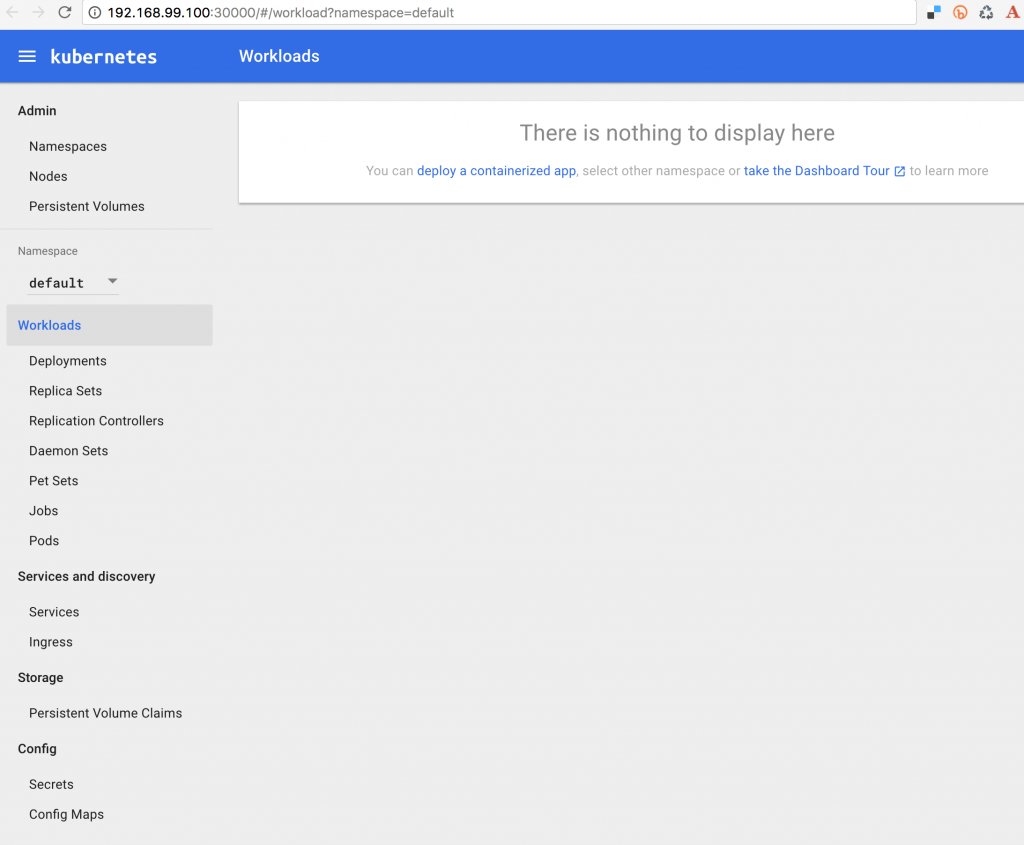
쿠버네티스 1.4에는 업데이트된 대시보드가 포함되어 있습니다. 미니큐브의 경우, 다음 명령을 사용하여 열 수 있습니다:
|
1 2 |
minikube dashboard Waiting, endpoint for service is not ready yet...Opening kubernetes dashboard in default browser... |
기본 보기는 아래와 같습니다:
하지만 저희의 경우에는 이미 몇 가지 리소스가 생성되어 있으므로 다음과 같이 표시됩니다:
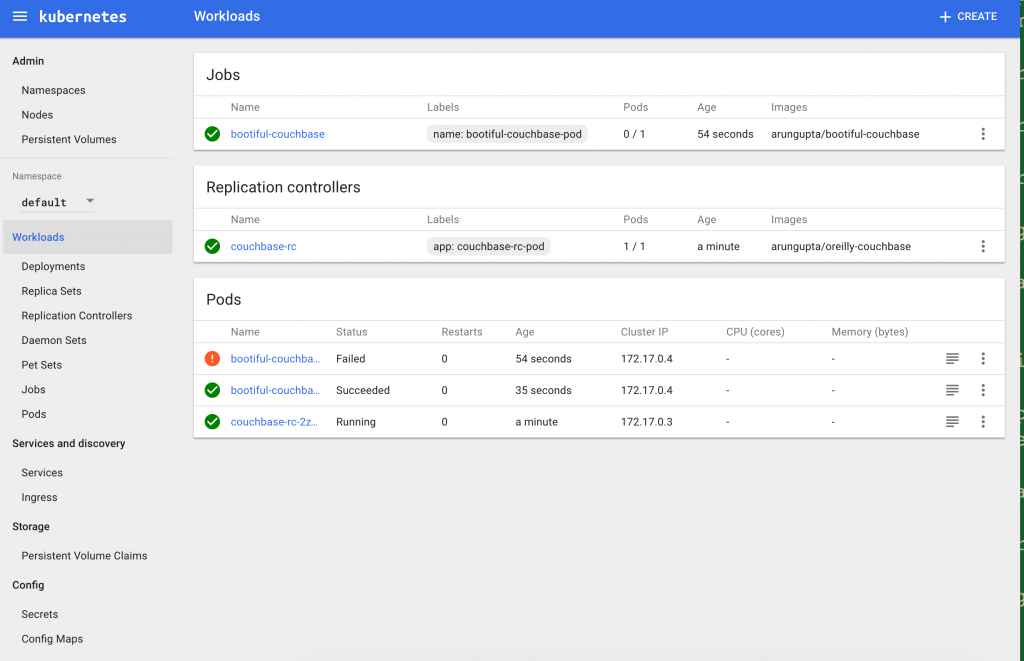
잡, 리플리케이션 컨트롤러 및 파드가 여기에 표시됩니다.
쿠버네티스 클러스터 종료
클러스터를 쉽게 종료할 수 있습니다:
|
1 2 3 |
minikube stop Stopping local Kubernetes cluster... Machine stopped. |
couchbase.com/containers 에서 다양한 오케스트레이션 프레임워크를 사용하여 Couchbase를 실행하는 방법에 대한 자세한 내용을 확인할 수 있습니다. 추가 참조:
- 카우치베이스 포럼 또는 스택오버플로우
- 팔로우하세요 @couchbasedev 또는 @couchbase
- 자세히 알아보기 카우치베이스 서버


