
The Internal Tools Problem
Every engineering team has them: the admin panel that took three sprints to build, the customer support dashboard that nobody wants to maintain, the data viewer that’s still a spreadsheet. Internal tools are essential but unglamorous – they consume engineering bandwidth that could be spent on your product.
What if your team could build these tools visually, connecting directly to your Couchbase data, without writing a single line of backend code?
What Is ToolJet ?
ToolJet is an open-source, low-code platform for building internal tools. It provides:
- A visual app builder with 50+ drag-and-drop UI components (tables, forms, charts, modals, buttons)
- 80+ data source integrations – databases, APIs, SaaS tools
- One-click deployment – share a URL and your app is live
- Role-based access control – control who can see and do what
Couchbase + ToolJet: A Community Contribution
The plugin connects to Couchbase via the Data API (REST over HTTPS), making it compatible with:
- Couchbase Capella (cloud-managed) – works out of the box
- Self-managed Couchbase Server – with Data API enabled
What You Can Do
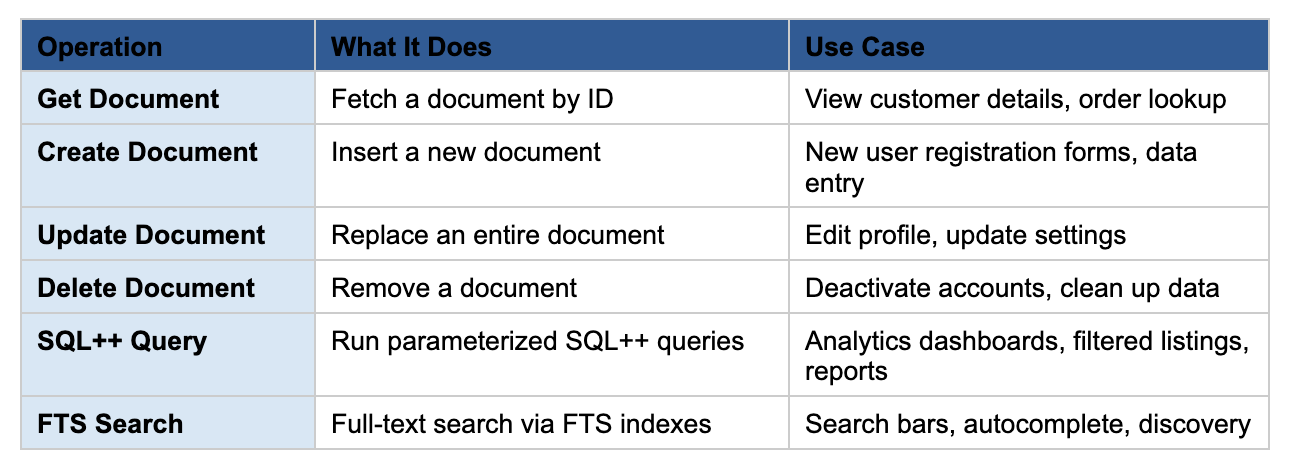
The plugin supports six operations covering everything from basic document operations to advanced queries:
The AI Angle: Vector Search in Low-Code Apps
Couchbase’s full-text search supports vector search – meaning you can build AI-powered semantic search interfaces using ToolJet’s visual builder. Imagine an internal tool where your support team types a customer’s question in natural language and gets relevant knowledge base articles ranked by semantic similarity – all without writing a search backend.
The FTS operation in the ToolJet plugin accepts any valid FTS query in JSON, including vector search queries. Combined with ToolJet’s visual components, you can prototype AI-powered internal tools in an afternoon.
5-Minute Demo: From Zero to Dashboard
Here’s how fast you can go from nothing to a working Couchbase-powered dashboard:
- Install the plugin (30 seconds) — Open ToolJet → Marketplace → Search “Couchbase” → Install
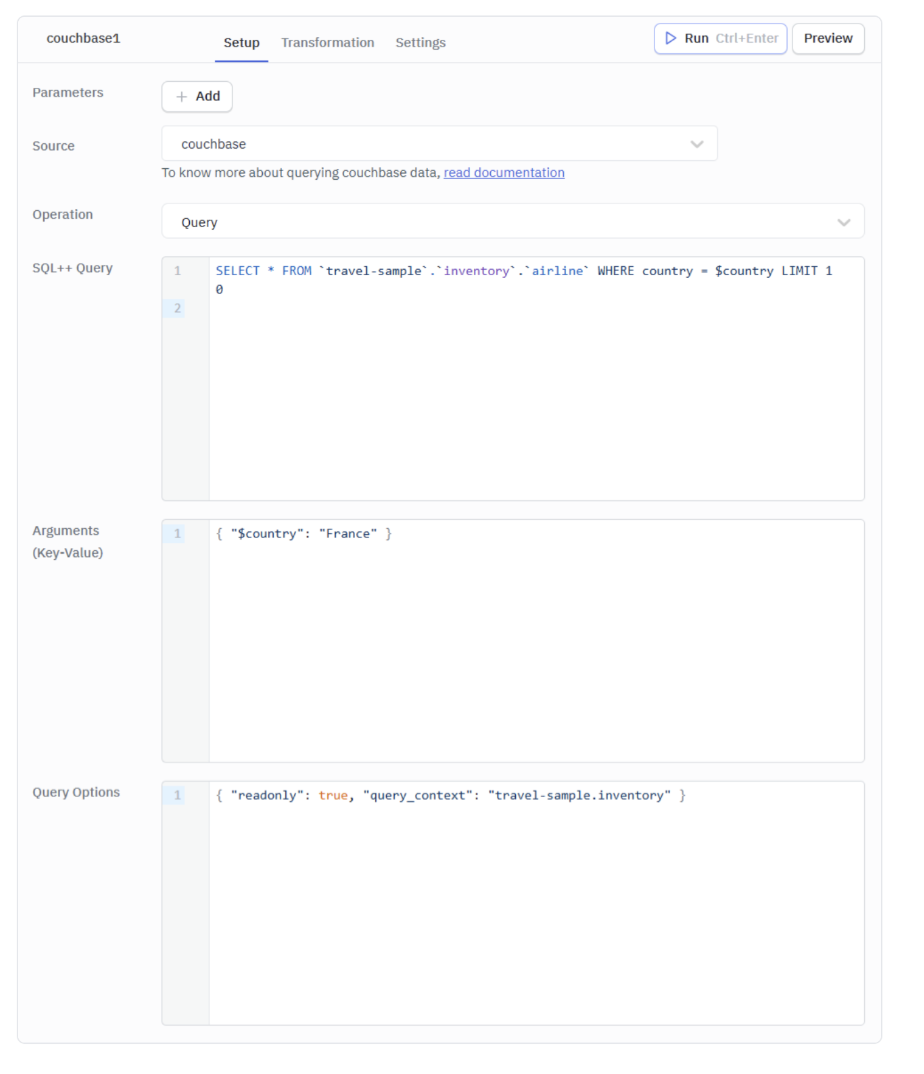
- Connect to your cluster (1 minute) — Add a new Couchbase data source → Enter your Data API URL, username, and password → Test Connection → Save
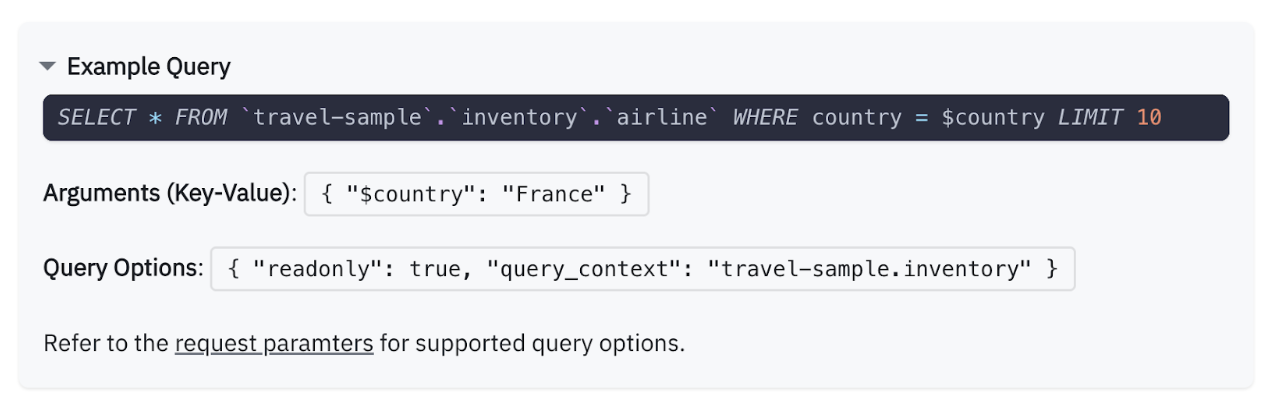
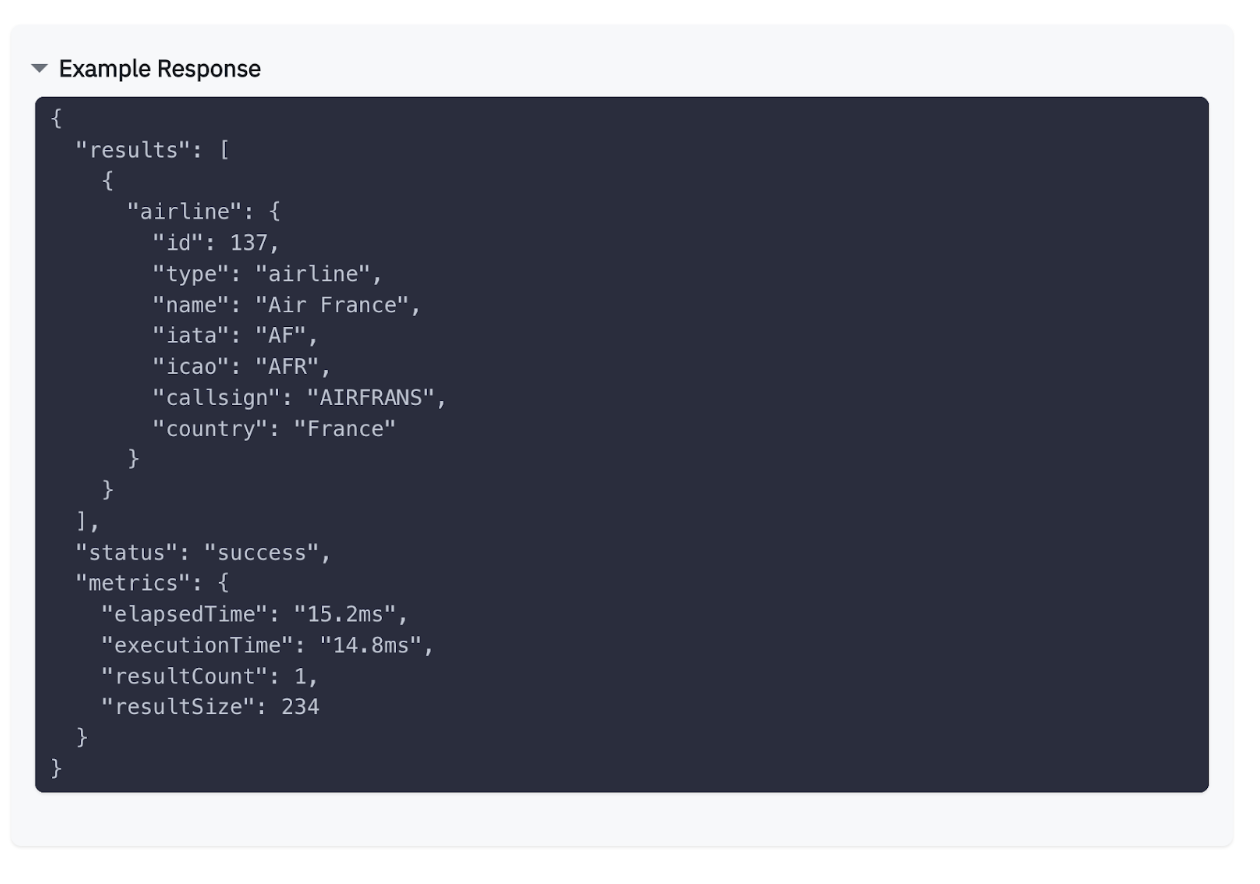
- Write a query (1 minute) — Create a new query → Operation: “Query” → Enter SQL++:
|
1 |
SELECT Meta().identificación, nombre, country, callsignFROM `viajar–sample`.`inventory`.`airline`PEDIDO POR nombre LÍMITE 50 |
4. Build the UI (2 minutes) — Drag a Table component → Set data to {{queries.listAirlines.data.results}} → Done.
You now have a live, deployed airline browser connected to Couchbase. Add a search bar, forms for CRUD, charts for analytics – all through drag-and-drop.
How It Works Under the Hood
The plugin implements ToolJet’s QueryService interface, which requires two methods:
- run() – routes to the appropriate operation handler (get, create, update, delete, query, or search) and makes HTTP requests to the Couchbase Data API
- testConnection() – validates credentials by hitting the /v1/callerIdentity endpoint
Every request uses HTTP Basic Authentication (Base64-encoded username:password). Credentials are encrypted at rest (AES-256) by ToolJet and decrypted only at query execution time.
The plugin is entirely REST-based – no native SDK dependencies. This makes it lightweight, easy to deploy, and compatible with any Couchbase deployment that exposes the Data API.
Getting Started
Ready to try it? Here’s everything you need:
- Couchbase cluster: Sign up for Capella (free tier available) or run Couchbase in Docker
- ToolJet instance: Sign up for ToolJet Cloud (free tier) or self-host with Docker
- Follow the tutorial: Build an Airline Dashboard with ToolJet and Couchbase
Recursos
- ToolJet Couchbase Plugin Documentation
- Couchbase Data API Documentation
- ToolJet GitHub Repository
- Original Pull Request #14518
Final Takeaway
If your team is burning sprint cycles on internal tools, this stack is worth a serious look – Couchbase + ToolJet gives you SQL++, CRUD, and even AI-powered vector search wired up through a REST plugin with zero backend code, meaning your engineers stay focused on the product. It’s open source and self-hostable so you stay in control, and for an early-to-mid stage startup that needs internal tooling fast without a dedicated engineer, that’s real leverage.
The Couchbase plugin for ToolJet is open source and available in the ToolJet Marketplace. Install it today and start building internal tools on your Couchbase data – no backend code required.

Deja un comentario
Lo siento, debes estar conectado para publicar un comentario.