
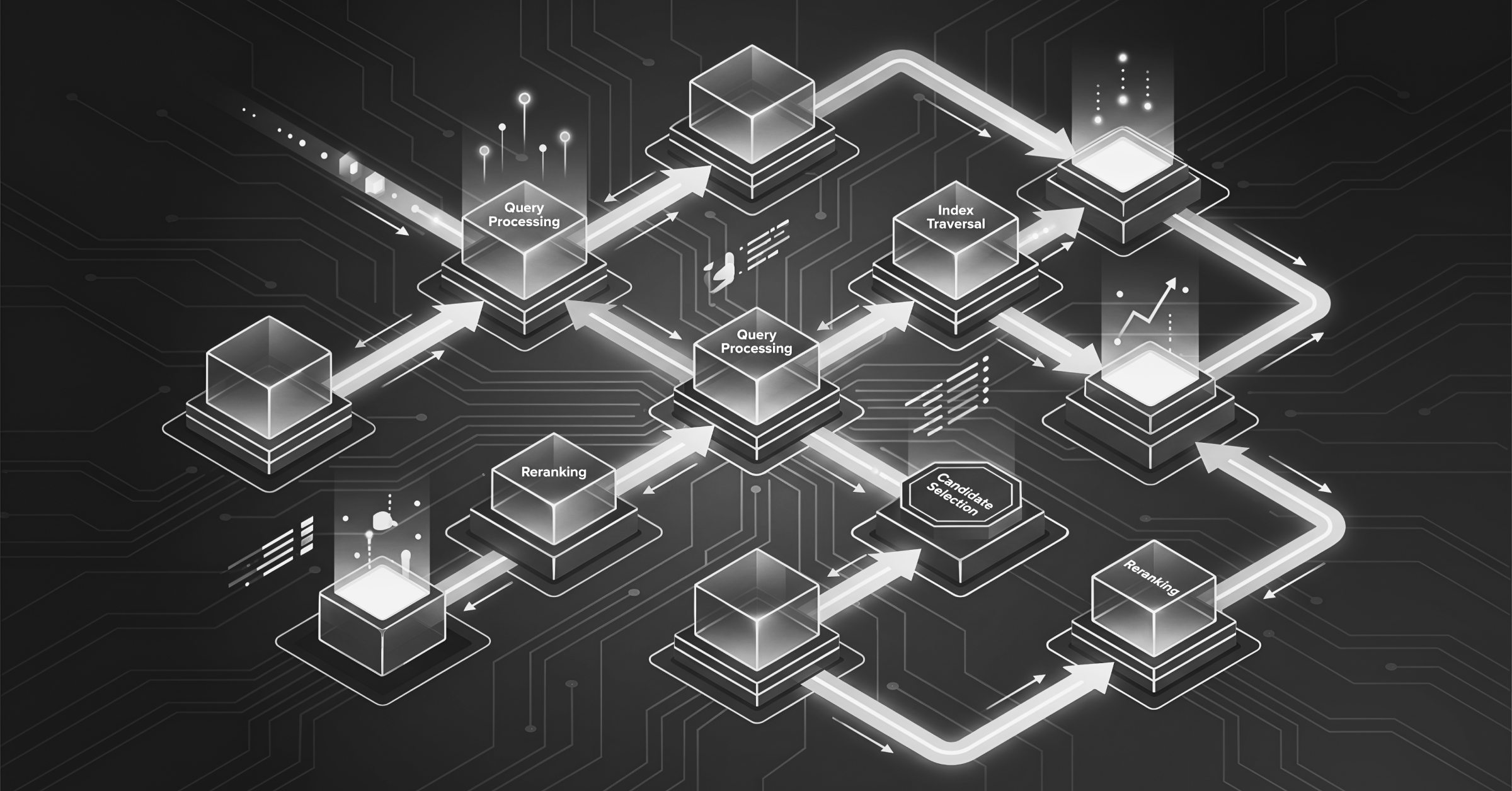
A arquitetura de um banco de dados vetorial possui quatro camadas: embeddings, indexação, recuperação e armazenamento. A forma como essas camadas são projetadas e como se integram à sua infraestrutura de dados existente determina se sua aplicação de busca por IA, busca semântica ou RAG terá bom desempenho em produção ou falhará em grande escala.
Este não é mais um tutorial de framework ou uma lista de fornecedores. É um guia de avaliação em nível de arquitetura para compradores de tecnologia que precisam tomar uma decisão informada sobre infraestrutura. Abordaremos o que é um banco de dados vetorial, como a arquitetura funciona internamente, como pensar sobre padrões de busca, o que o desempenho e a escala realmente exigem e quais perguntas você deve fazer aos fornecedores antes de se comprometer.
O que é um Banco de Dados Vetorial?
Um banco de dados vetorial armazena dados como vetores numéricos de alta dimensionalidade e recupera resultados por similaridade, e não por correspondência exata. Em vez de perguntar “este registro contém esta palavra-chave?”, um banco de dados vetorial pergunta “quais registros são mais semelhantes a esta consulta”. É um modelo de recuperação fundamentalmente diferente que permite que a busca por IA, a busca semântica e os sistemas de recomendação funcionem da maneira que os usuários realmente esperam.
Os bancos de dados relacionais tradicionais organizam os dados em linhas e colunas otimizadas para consultas exatas e estruturadas. Os mecanismos de busca por palavra-chave combinam termos literais. Nenhum dos dois foi projetado para recuperação semântica, como encontrar produtos semelhantes a uma imagem ou recuperar documentos que expressem o mesmo significado usando palavras diferentes. Os bancos de dados vetoriais foram criados especificamente para tais finalidades.
Para compradores corporativos, a escolha arquitetônica que mais importa não é qual banco de dados vetorial escolher. A decisão mais importante é se devem adotar um standalone banco de vetores conectado ao lado do seu banco de dados operacional ou um banco de dados multimodelo que lida com vetores nativamente junto com seus dados transacionais e operacionais. A abordagem independente introduz sobrecarga de sincronização, proliferação de dados e um sistema adicional para operar e proteger. Uma plataforma unificada elimina a complexidade, mantém os vetores próximos aos dados operacionais que eles descrevem e reduz a latência em cada consulta.
Como Funciona a Arquitetura de Banco de Dados Vetorial
Em alto nível, o processo começa quando dados brutos são convertidos em incorporações vetoriais por um modelo de aprendizado de máquina. Essas incorporações são então armazenadas e organizadas em um índice vetorial que suporta busca por similaridade eficiente. Quando um usuário envia uma consulta, o banco de dados usa a busca de vizinho mais próximo aproximado (ANN) para identificar e retornar os vetores mais próximos correspondentes, normalmente em apenas alguns milissegundos.
Cada camada do pipeline requer decisões arquiteturais que afetam diretamente o desempenho, o custo e a precisão da sua aplicação de IA.
Embeddings: A Camada de Dados
Os embeddings vetoriais são representações numéricas de dados, como texto, imagens, áudio e vídeo. Os embeddings capturam o significado semântico em uma forma compacta em centenas ou milhares de dimensões. Quando dois conteúdos significam coisas semelhantes ou parecem visualmente semelhantes, seus embeddings acabam ficando próximos no espaço de alta dimensionalidade. Essa proximidade é o que impulsiona a busca por similaridade.
O modelo de incorporação que você escolhe tem consequências posteriores para todo o resto da arquitetura. Modelos diferentes produzem vetores de diferentes dimensionalidades, e uma incorporação de 768 dimensões de um modelo não é intercambiável com uma incorporação de 1536 dimensões de outro. Uma dimensionalidade mais alta captura mais nuances, mas aumenta os requisitos de armazenamento, a pressão de memória e o custo de consulta. Mudar de modelo de incorporação após a ingestão significa reincorporar todo o seu conjunto de dados, o que é custoso em grande escala.
Os compradores devem avaliar quais modelos de incorporação um banco de dados vetorial suporta nativamente, se a hospedagem do modelo é integrada ou externa e qual é o custo total de geração de incorporações no volume de dados esperado.
Saiba mais: O que são incorporações de vetores?
Indexação de Vetores: Organizando para Recuperação
Vetores brutos armazenados em uma lista plana não podem ser pesquisados de forma eficiente em grande escala. Varrer cada vetor contra cada consulta (busca por força bruta) é preciso, mas torna-se computacionalmente proibitivo à medida que o tamanho do conjunto de dados cresce para milhões ou bilhões. A índice vetorial isso resolve organizando vetores espacialmente para que o banco de dados possa encontrar vizinhos mais próximos aproximados rapidamente sem escanear todo o conjunto de dados.
O tipo de índice é uma das decisões arquiteturais mais importantes para um banco de dados vetorial e envolve um equilíbrio direto entre revocação (quão precisamente os resultados refletem os vizinhos mais próximos reais), latência (quão rápido os resultados são retornados) e custo de memória (quanto de RAM o índice consome em grande escala). Estruturas de índice comuns incluem o Hierarchical Navigable Small World (HNSW), que prioriza a revocação e a velocidade de consulta, e o Inverted File Index (IVF), que troca parte da revocação por menor pressão de memória e é mais adequado para conjuntos de dados muito grandes.
Um banco de dados vetorial que oferece apenas um tipo de índice força você a aceitar suas escolhas de compensação em vez de selecionar a abordagem que melhor se adapta à sua carga de trabalho. A busca vetorial do Couchbase oferece três tipos de índice: Hyperscale, Composite e Search. Isso dá às equipes a flexibilidade de configurar índices com base nos requisitos de revocação, latência e custo de cada carga de trabalho, em vez de se contentarem com uma abordagem única para todos.
Recuperação: Busca Aproximada de Vizinhos Mais Próximos
No momento da consulta, o banco de dados vetorial converte a consulta do usuário em um *embedding* usando o mesmo modelo usado durante a ingestão, e então encontra os vetores no índice que são mais semelhantes. Esta busca por ANN é “aproximada” porque sacrifica deliberadamente uma pequena quantidade de precisão em troca de uma grande redução no tempo de consulta.
Na prática, ANN com latência de milissegundos e alto *recall* é o objetivo para a maioria das cargas de trabalho de produção. A variável-chave é o quão ajustável é o compromisso entre *recall* e velocidade. Alguns bancos de dados tornam o *recall* uma constante arquitetural fixa, enquanto outros permitem configurá-lo por consulta ou por índice. A capacidade de ajuste importa quando diferentes aplicações na mesma plataforma têm requisitos de precisão diferentes.
Explicação sobre Busca Semântica, Busca Vetorial e Busca Híbrida
Esses termos são frequentemente usados de forma intercambiável no marketing de fornecedores, mas se referem a capacidades diferentes. Compreender as diferenças ajuda você a avaliar arquiteturas e comparar produtos de forma mais eficaz.
Busca vetorial é o método de recuperação. Ele encontra resultados semelhantes comparando incorporações vetoriais em vez de corresponder a palavras-chave exatas.
Busca semântica é a experiência do usuário. Ela retorna resultados com base no significado e na intenção de uma consulta, em vez de sua redação literal. A busca vetorial é a principal tecnologia que torna a busca semântica possível, mas entregar uma busca semântica de alta qualidade também depende de fatores como o modelo de incorporação, a estratégia de ranqueamento e a capacidade do sistema de considerar o contexto.
Busca híbrida combina vários métodos de recuperação em uma única consulta. Entre eles podem estar a similaridade vetorial, a pesquisa por palavras-chave, filtros de metadados, restrições geoespaciais e intervalos de datas. A maioria dos aplicativos em produção depende dessa combinação. Por exemplo, um usuário que pesquisa “tênis de corrida vermelhos por menos de $80 perto de mim” espera resultados que compreendam o conceito de tênis de corrida e, ao mesmo tempo, apliquem filtros de preço e localização. Todas essas condições precisam funcionar em conjunto e retornar resultados em milissegundos.
Algumas organizações tentam criar busca híbrida executando consultas vetoriais e de palavras-chave separadas em sistemas diferentes, e depois mesclando e reclassificando os resultados no código da aplicação. Essa abordagem pode ser suficiente para uma prova de conceito, mas torna-se difícil de operar em escala de produção. Ela adiciona latência, aumenta a complexidade operacional e pode produzir resultados inconsistentes quando os sistemas subjacentes não estão perfeitamente sincronizados. A busca híbrida nativa dentro de um único banco de dados evita esses desafios e deve ser considerada um critério central de avaliação ao selecionar um banco de dados vetorial.
Ver também: Construindo Agentes Mais Inteligentes com Busca Vetorial
Bancos de Dados Vetoriais e RAG: Por que a Camada de Dados Importa
A geração aumentada por recuperação (RAG) é a arquitetura que a maioria das empresas usa para dar a grandes modelos de linguagem (LLMs) acesso a informações proprietárias, atuais ou específicas de um domínio, sem precisar retreinar o modelo. Nesse fluxo, um usuário envia uma consulta, o sistema recupera o contexto relevante de um banco de dados vetorial, e esse contexto é injetado no prompt do LLM para que o modelo possa gerar uma resposta precisa e fundamentada.
O banco de dados vetorial é a camada de recuperação em cada pipeline RAG, e sua qualidade determina diretamente se o LLM produz respostas úteis ou alucina. Quando o banco de dados vetorial retorna um contexto irrelevante ou desatualizado, o modelo não tem nenhuma verdade fundamental confiável para raciocinar. Quando isso acontece, ele preenche a lacuna com invenções com som de confiantes conhecidas como alucinações. Um banco de dados RAG bem arquitetado, com embeddings precisos, recuperação ajustada e busca híbrida, reduz significativamente as alucinações, garantindo que o modelo sempre tenha o contexto certo.
O que os compradores frequentemente subestimam é a sobrecarga operacional de executar um banco de dados RAG em produção. Se seus vetores residem em um repositório vetorial autônomo enquanto seus dados operacionais vivem em um banco de dados separado, cada consulta RAG faz duas viagens de ida e volta ou exige uma camada de sincronização complexa para manter ambos os sistemas consistentes. Executar vetores nativamente junto com dados operacionais em uma única plataforma elimina essa latência e esse peso de sincronização. É por isso que a sua escolha de arquitetura de banco de dados importa tanto quanto a sua escolha de LLM.
Este Tutorial de RAG mostra como você pode construir um aplicativo RAG usando os Serviços de IA do Couchbase e LangChain.
Desempenho e Escalabilidade em Escala Empresarial
Os números de benchmark de fornecedores de bancos de dados vetoriais são fáceis de produzir em conjuntos de dados pequenos e limpos sob condições ideais. Mas o que realmente importa para a implantação empresarial é o desempenho em bilhões de vetores, sob carga concorrente, com os padrões de consulta que sua aplicação real gera.
Os fatores arquitetônicos que impulsionam o desempenho real em escala são:
Design baseado em memória. Índices vetoriais, especialmente HNSW, residem na memória por padrão. Na faixa de dezenas de milhões de vetores, a pressão sobre a memória torna-se um custo real e uma preocupação operacional. Pergunte aos fornecedores como a arquitetura deles gerencia a memória em escala, se os índices são descarregados para o disco e qual é o impacto na latência quando isso acontece.
Eficiência do índice. Nem todas as implementações de HNSW são iguais. Parâmetros de construção como efConstruction e M afetam tanto o tempo de construção do índice quanto o recall no momento da consulta. Um banco de dados que permite ajustar esses parâmetros oferece mais controle sobre a relação entre recall e custo do que um que trata a configuração do índice como uma caixa preta.
Escalabilidade horizontal. At enterprise scale, vertical scaling hits a ceiling. The vector database needs to scale horizontally across nodes without degrading recall or spiking latency as data grows.
Hidden costs to watch for. Recall degradation as datasets grow, latency spikes under concurrent load, and RAM bills that expand predictably or unpredictably with data volume are all costs that don’t show up in vendor benchmarks. Ask for billion-scale benchmark data and specifically request recall figures at that scale, not just latency numbers.
Enterprise Readiness: Security, Deployment, and Operations
Strong performance is essential for enterprise adoption, but it’s only one part of the evaluation. Enterprise buyers also have requirements for security, compliance, deployment flexibility, and operational simplicity that many standalone AI databases don’t fully address.
Data privacy and access control. Enterprise AI workloads frequently involve sensitive data such as customer records, financial data, and healthcare information that can’t be sent to external embedding APIs or public model endpoints. The vector database needs to support private model hosting, role-based access control at the data level, and audit logging of who queried what and when.
Compliance and SLAs. In regulated industries, the vector database is part of the compliance perimeter. Data residency requirements, retention policies, and audit trails need to be enforced at the infrastructure level, not bolted on per application.
Deployment fit. Enterprise AI workloads don’t all run in the cloud. Field service applications often need to work offline. Healthcare organizations may have data residency requirements that limit where information can be stored. And factory environments may depend on edge computing for low-latency processing. The right vector database should support your workloads wherever they run, whether in the cloud, on premises, across multiple clouds, or at the edge. Ideally, it should provide a unified platform that applies the same governance and management policies across every deployment environment.
Operational overhead. A standalone vector database is another system to deploy, monitor, patch, scale, and back up. A managed DBaaS like Couchbase Capella lowers that burden significantly by managing the infrastructure and scaling automatically so your team can focus on the application instead of on database operations.
Unified vs. standalone. Unified vectors and operational data on one platform cut complexity, reduce latency on hybrid queries, eliminate synchronization overhead, and lower the total cost of the AI data layer. For most enterprise workloads, the question isn’t whether a unified approach is better, but whether the unified platform can match the performance of a specialized standalone vector database. Couchbase’s answer to that question is its native vector search engine, purpose-built for production workloads within the Capella platform.
8 Questions to Ask Before Choosing a Vector Database
Use this checklist when evaluating vendors. Each question maps to an architectural dimension that affects production performance, cost, or operational risk.
- Indexing flexibility: What index types do you support (HNSW, IVF, others), and can I configure index parameters per workload?
- Retrieval performance: What are your recall and latency benchmarks at one billion vectors under concurrent load, not on a demo dataset?
- Recall tuning: Can I tune the recall-speed trade-off at query time, or is recall a fixed constant in your architecture?
- Hybrid search: Does your platform support vector + keyword + metadata filters in a single native query, or do I need to stitch results together in application code?
- Scalability: How does your architecture scale horizontally, and what happens to recall and latency as data volume grows?
- Deployment fit: Do you support cloud, on-premises, multicloud, and edge deployments on a single platform with consistent governance?
- Enterprise security: What access controls, audit logging, data residency, and private model hosting do you support natively?
- Unified vs. standalone: Can I run vectors alongside my operational data in the same database, or am I adding another system to synchronize and operate?
The right vector database fits not just your AI model, but your broader data architecture. These eight questions will surface the gaps faster than any vendor demo.
Start building on Couchbase Capella for free →
Vector Database FAQs
O que é um banco de dados vetorial?
A vector database stores and indexes data as high-dimensional numeric vectors and retrieves results by similarity rather than exact match. It powers semantic search, RAG pipelines, recommendation systems, and AI search applications. Unlike traditional databases optimized for structured lookups or keyword matching, a vector database is designed to answer questions about meaning, similarity, and context. Couchbase supports vector search natively within its multi-model platform with no bolt-on vector store required.
How does vector database architecture work?
Vector database architecture follows three core steps. First, raw data (text, images, audio, video) is converted into numeric vector embeddings by a machine learning model. Second, those embeddings are organized into a vector index (typically HNSW or IVF) that enables fast retrieval without scanning every vector. Third, at query time, the database uses approximate ANN search to find and return the most similar vectors in milliseconds. The key trade-off across all three steps is recall vs. speed vs. cost. How tunable that trade-off is determines how well the architecture fits different production workloads.
What’s the difference between vector search and semantic search?
Vector search is the retrieval method. It finds similar results by comparing vector embeddings instead of matching exact keywords. Semantic search is the user experience. It returns results based on the meaning and intent of a query instead of its exact words. Vector search is the primary technology that enables semantic search. Many production applications use hybrid search, which combines semantic search with keyword search and structured filters.
Do you need a dedicated vector database, or can an existing database handle vectors?
Often, a dedicated standalone vector database is not necessary, and in many cases it creates more problems than it solves. A standalone vector store adds synchronization overhead (keeping vectors consistent with operational data), operational complexity (another system to deploy, monitor, and scale), and query latency (two round trips instead of one). Multi-model databases like Couchbase run vectors natively alongside operational data in a single platform, with native hybrid search, enterprise governance, and a managed cloud deployment option. For most enterprise workloads, a unified platform outperforms the standalone approach on total cost and operational simplicity.
How do vector databases reduce AI hallucinations?
Vector databases reduce hallucinations in RAG applications by ensuring the LLM receives accurate, relevant context before generating a response. When the retrieval layer returns high-quality, semantically matched content from your proprietary data, the model has reliable ground truth to reason from rather than relying on potentially outdated or incorrect training data. The quality of that retrieval directly determines how grounded and accurate the model’s output is.
Ready to evaluate Couchbase for your AI search or RAG workload? Learn about Couchbase Vector Search →

Deixe um comentário
Você precisa fazer o login para publicar um comentário.