
Have you felt the need to run Docker containers on Amazon? Amazon Container Service requires extensive setup and manual work. This is meant for programmers who have plenty of time and willing to debug through multiple steps. For mundane programmers, like me, who like simple and easy to use steps, there is Docker Tutum!
What is Docker Tutum?
Docker Tutum is a SaaS that allows you to build, deploy and manage Docker containers in a variety of clouds. 
There are three main features:
- Build and run your code using Tutum’s free private registry
- Implantar applications using Tutum to manage Clusters that are fault tolerant and scalable. Tutum handles the orchestration of your infrastructure and application containers.
- Manage your applications through Tutum’s intuitive Dashboard, simple API, or CLI tool. With built-in logs and data monitoring, all the info you need is at your fingertips.
The main party line is:
Experience the simplicity of PaaS with none of its constraints. Enjoy the flexibility of IaaS with none of its complexity.
Key Concepts of Docker Tutum
The main concepts of Docker Tutum are explained below: 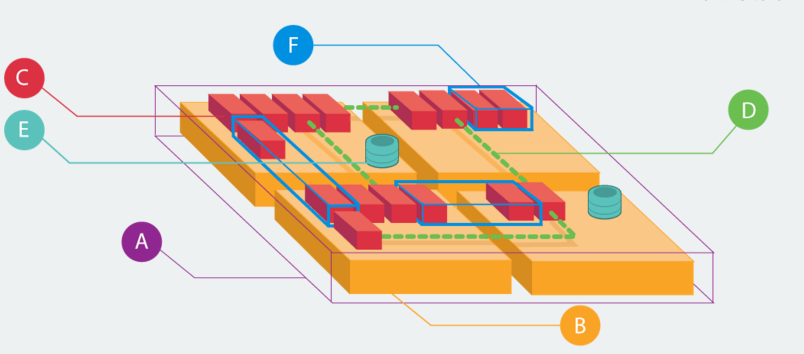
- (A) Node clusters are logical groups of nodes of the same type. Tutum pools your nodes resources, so your apps can run together thereby reducing complexity and waste. Node Clusters can be easily scaled with a drag of the slider.
- (B) Nodes are individual Linux hosts/VMs used to deploy and run your applications. New nodes can be provisioned right from within Tutum to increase the capacity of your Node Clusters.
- (C) Containers, (D) Links e (E) Volumes are Docker concepts.
- (F) Services are logical groups of Docker containers from the same image. Services make it simple to scale your application across different nodes. Simply drag a slider to increase or decrease the availability, performance, and redundancy of your application.
Deploy Couchbase Docker Container on Amazon using Tutum
Docker Tutum Getting Started provides detailed steps on how to get started. Here is what I did to run Couchbase Docker container in Amazon using Docker Tutum:
- Get started for free (at least while its in beta) by logging in using Docker Hub account.
- Link Amazon Web Services credentials with Tutum. I just had to specify Access Key Id and Secret Access Key.If you create a new account for this then you may have to attach a policy to enable privileges such that new instances can be provisioned on your behalf.
- Create a new node cluster at dashboard.tutum.co/node/launch/
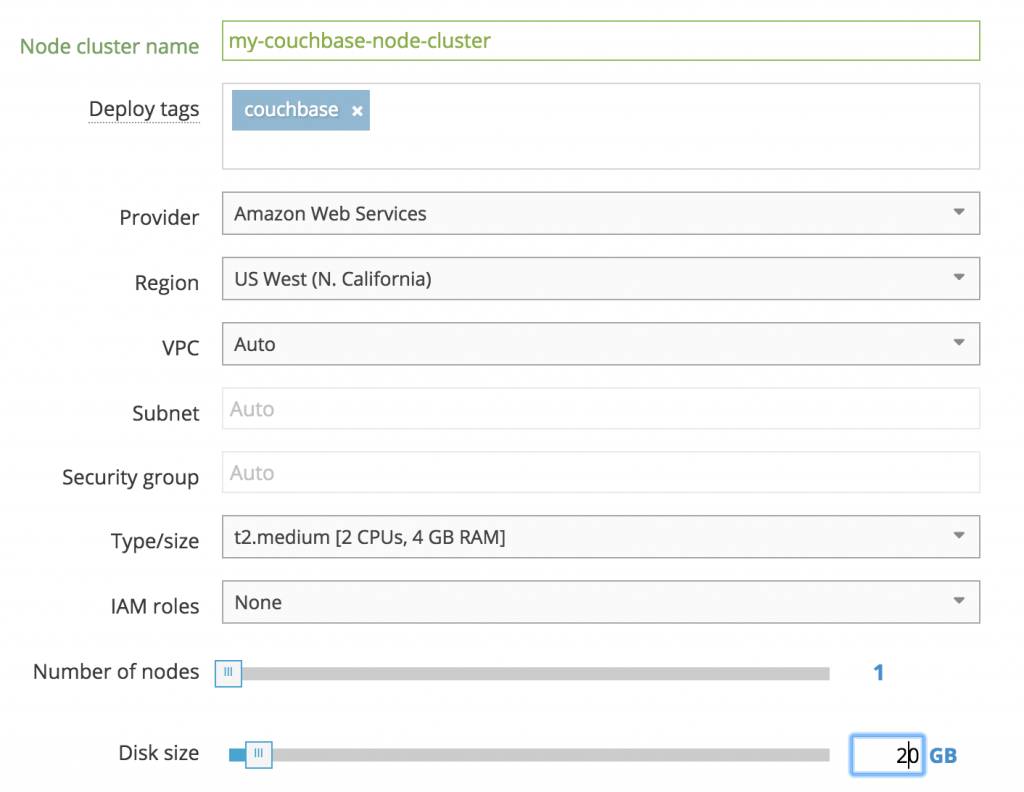
The three values that need to be specified/changed:- Node cluster name
- Deploy tags (optional)
- Type/size to t2.medium
- Disk size reduce from 60 to 20 GB
Takes a few minutes to provision the AMI. Updated status could be seen on AWS Console:

Tutum dashboard shows the following status after the node is created: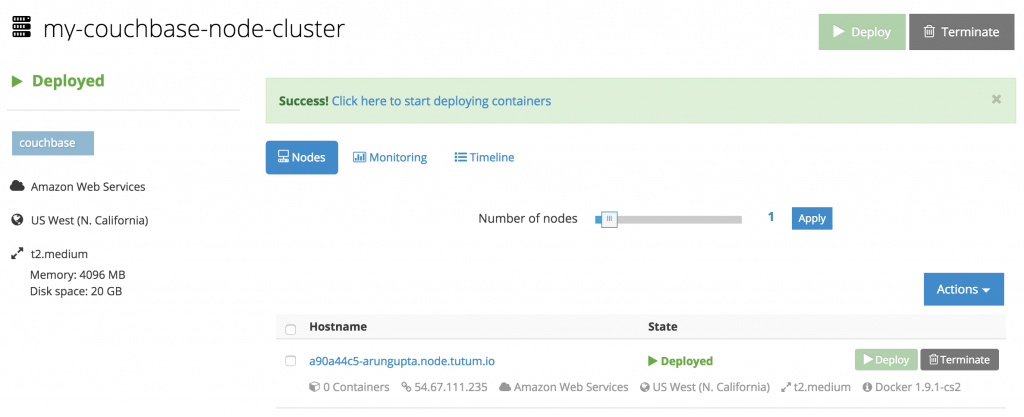
- Create your first service at dashboard.tutum.co/container/launch/. Select “Public Repositories” and search for “arungupta/couchbase-node”.
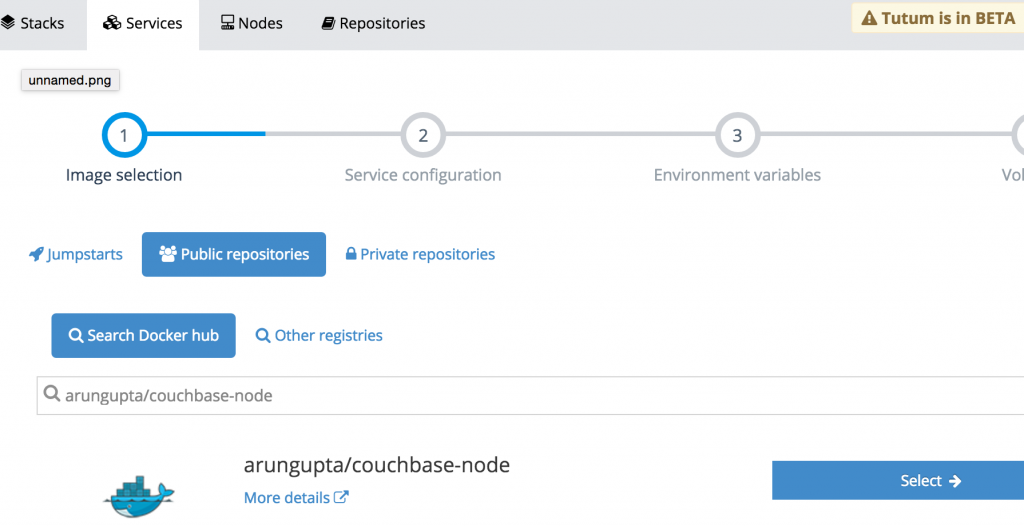
This image is created from github.com/arun-gupta/docker-images/tree/master/couchbase-node. This image performs the following:- Starts Couchbase server
- Configures the server using Couchbase REST API
- Click on “Select” and configure. You only need to override the ports and take all other defaults:
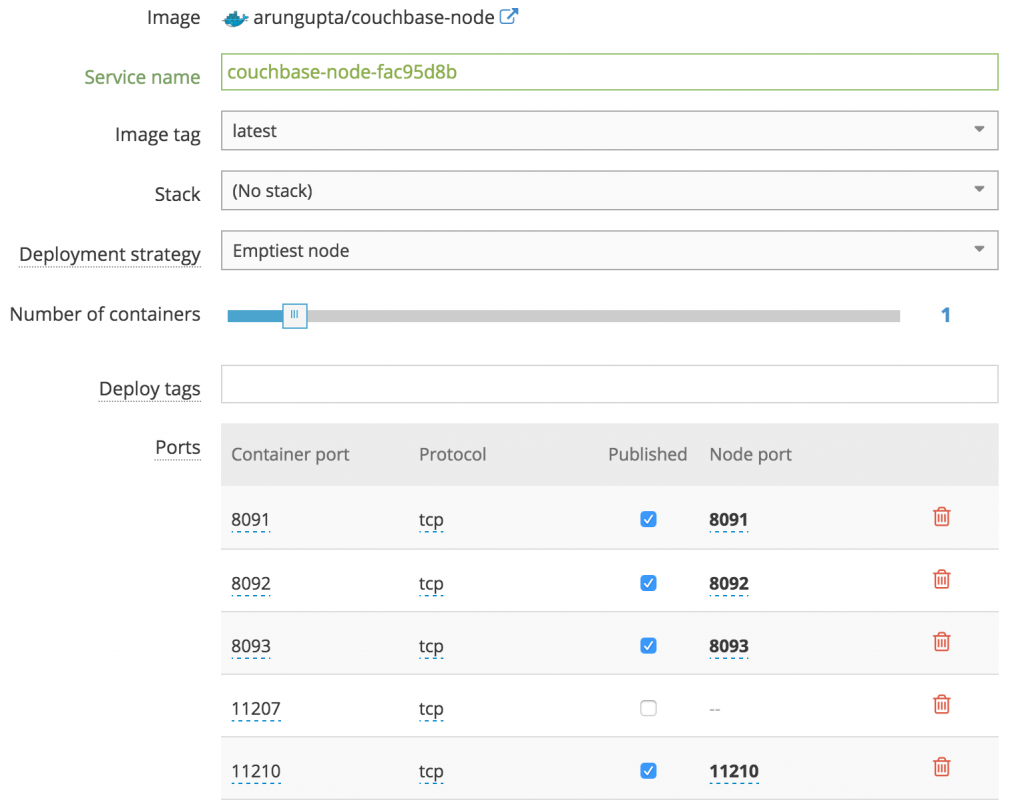 Click on “Create and Deploy”.
 - Dashboard is updated after the service is deployed:
- Click on “Logs” to see logs from the Couchbase Docker container:

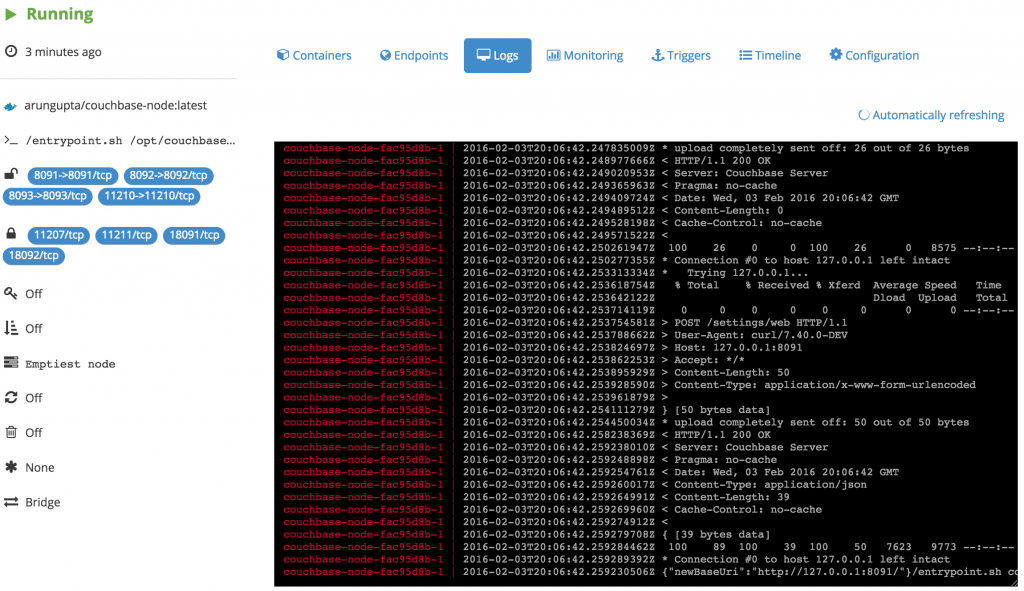
- Find IP address from the AWS Console:
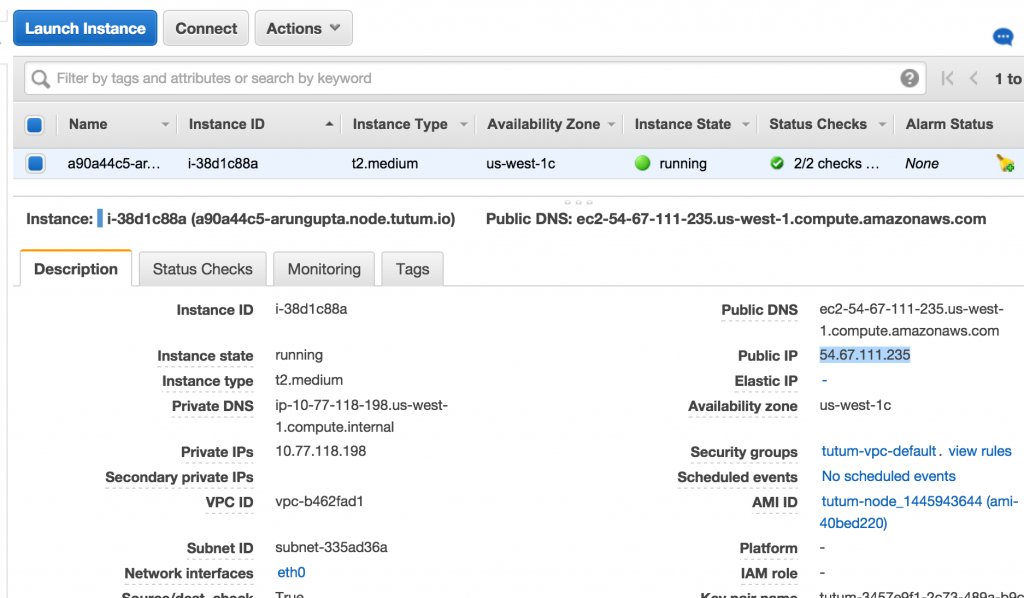
- Access Couchbase Console at :8091, in our case 54.67.111.235:8091. This will show the login screen of Couchbase:
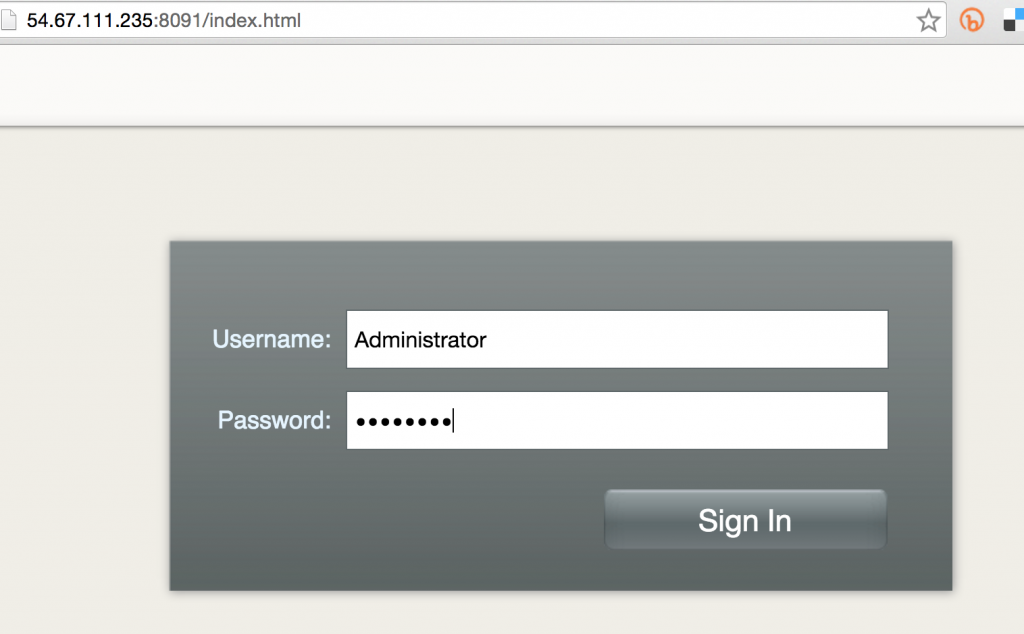
Enter the username “Administrator” and password “password”.
- This shows the Couchbase Console:
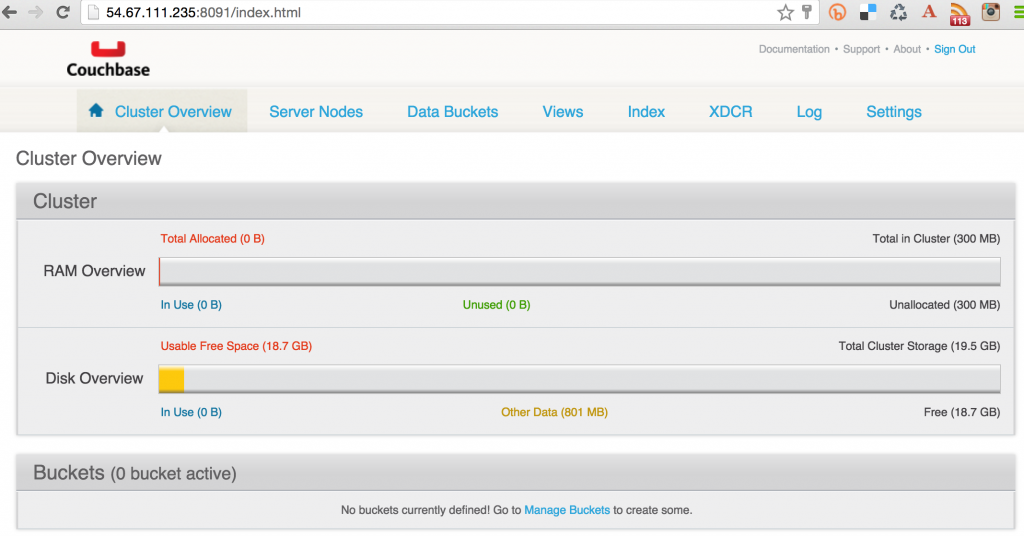
Create/Access Sample Bucket on Couchbase
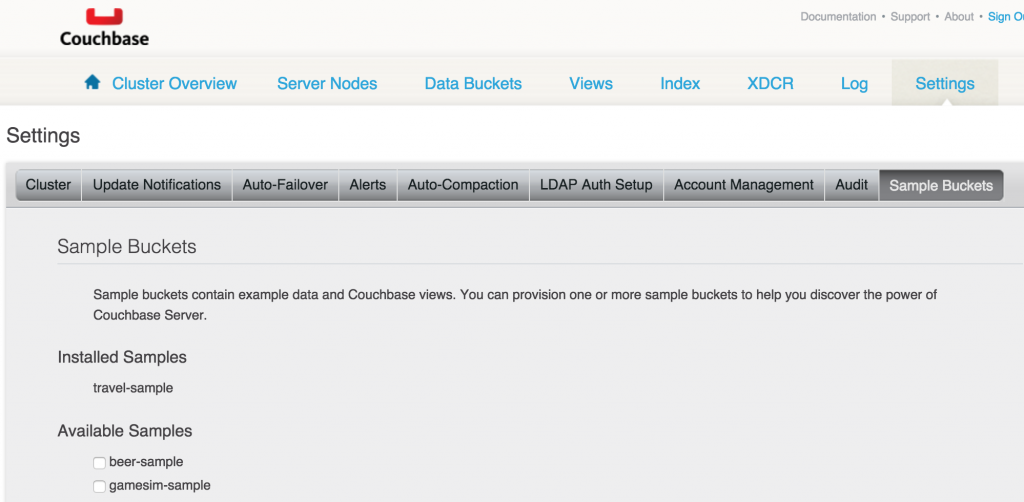
- Click on “Settings”, “Sample Buckets”. This shows the list of sample buckets that can be installed.
- Select “travel-sample” and click on “Create”. The updated console looks like:
- If you’ve downloaded Couchbase server locally, then you can use Couchbase Query CLI Tool (cbq) to connect and query:
1234567891011121314151617181920212223242526272829bin > ./cbq –motor=https://54.67.111.235:8093Couchbase consulta concha connected para https://54.67.111.235:8093/ . Type Ctrl-D to exit.cbq> select * de `viagem–mostra` limite 1;{“requestID”: “aec63fba-a85a-4763-9453-1d7ea0c5409c”,“signature”: {“*”: “*”},“results”: [{“travel-sample”: {“callsign”: “MILE-AIR”,“country”: “Estados Unidos”,“iata”: “Q5”,“icao”: “MLA”,“id”: 10,“nome”: “40-Mile Air”,“tipo”: “airline”}}],“status”: “success”,“metrics”: {“elapsedTime”: “10.135335ms”,“executionTime”: “10.091507ms”,“resultCount”: 1,“resultSize”: 300}}
Couchbase allows to query document database using SQL-like syntax, aka N1QL.
So this blog showed:
- What is Docker Tutum?
- How to get started with Docker Tutum?
- Deploy Couchbase Docker container on Amazon using Tutum
- Create/Access sample bucket on Couchbase
More details:
- Docker Tutum Getting Started
- Docker Tutum Support
- Docker Tutum Web Dashboard
- Docker Tutum API
- Docker Tutum CLI
- Docker Tutum Python SDK
- Docker Tutum Go SDK
Saiba mais sobre Couchbase Server.
Enjoy!

Deixe um comentário
Você precisa fazer o login para publicar um comentário.