
Getting Started with Serverless FaaS and AWS Lambda shows how to use a simple Java function to store a JSON document to Couchbase using AWS Lambda. This blog builds upon that and shows how an AWS IoT Button can be used as a trigger for that Lambda function. By end of this blog, you’ll learn:
- How to configure AWS IoT Button
- Use IoT Button as trigger for Lambda Function
- Test IoT button
The overall flow will be:
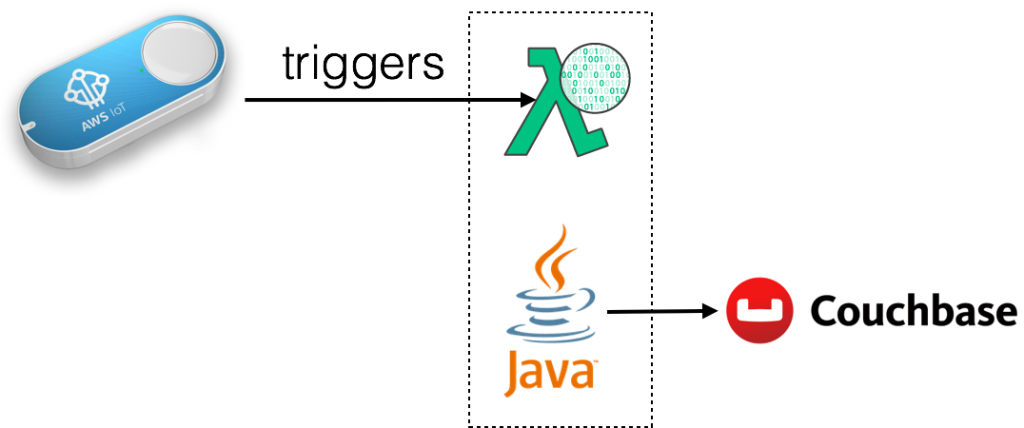 AWS Iot button click will invoke HelloCouchbaseLambda Lambda function. This function uses the Couchbase Java SDK to create a JSON document in Couchbase.
This blog is also playing catch up with Collecting iBeacon Data with Couchbase and Raspberry Pi IoT Devices by Nic and The CouchCase by Matthew on their summer projects. One last blog will be published in this series. That will show how multiple AWS IoT buttons can be used for some fun.
Let’s get started!
Configure IoT Button
The fastest way to configure IoT button is using the mobile app for iOS or Android.


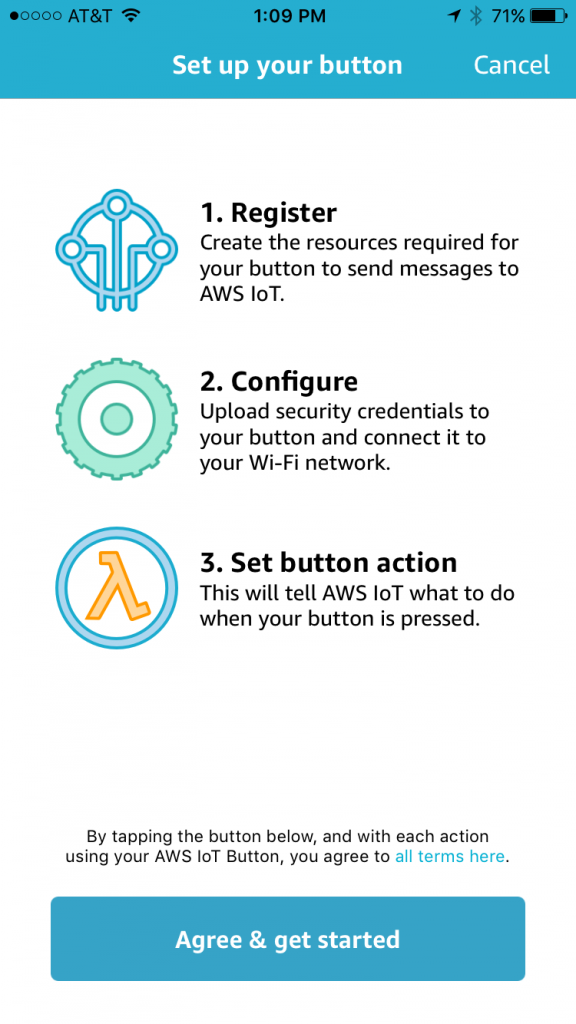
More details about configuring IoT Button using mobile app. Here are some snapshots from configuring button using the mobile app.
Bring up the app, click on + to start configuring a new button:
Enter button’s serial number:
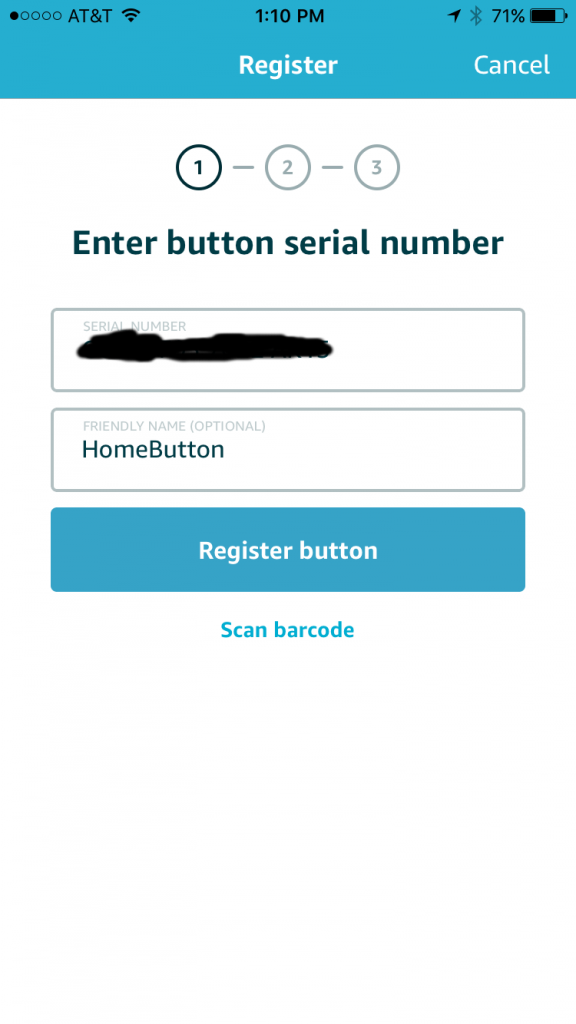
Register the button:
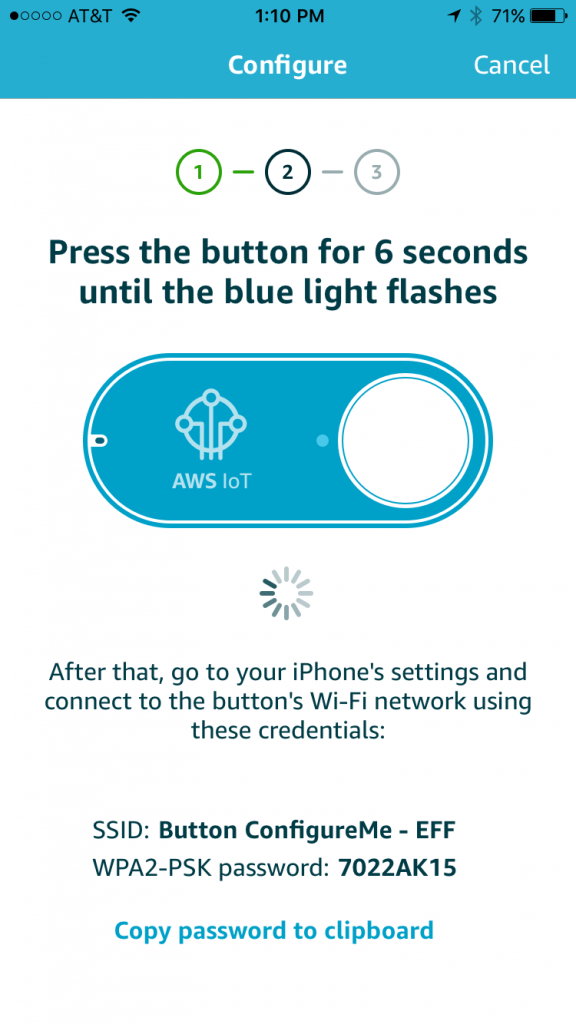
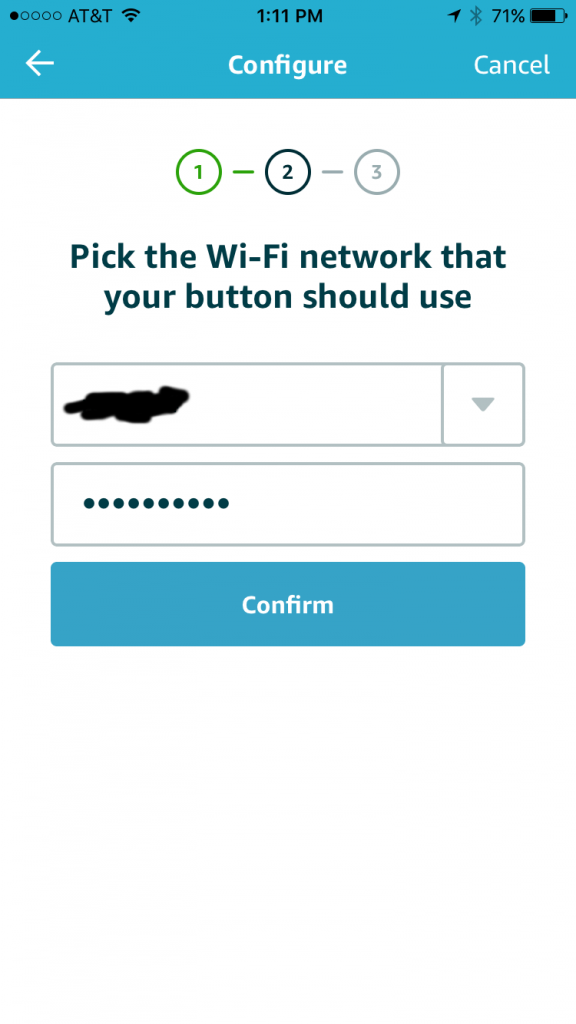
Configure the button with wifi network:
Upload all the certificates etc:
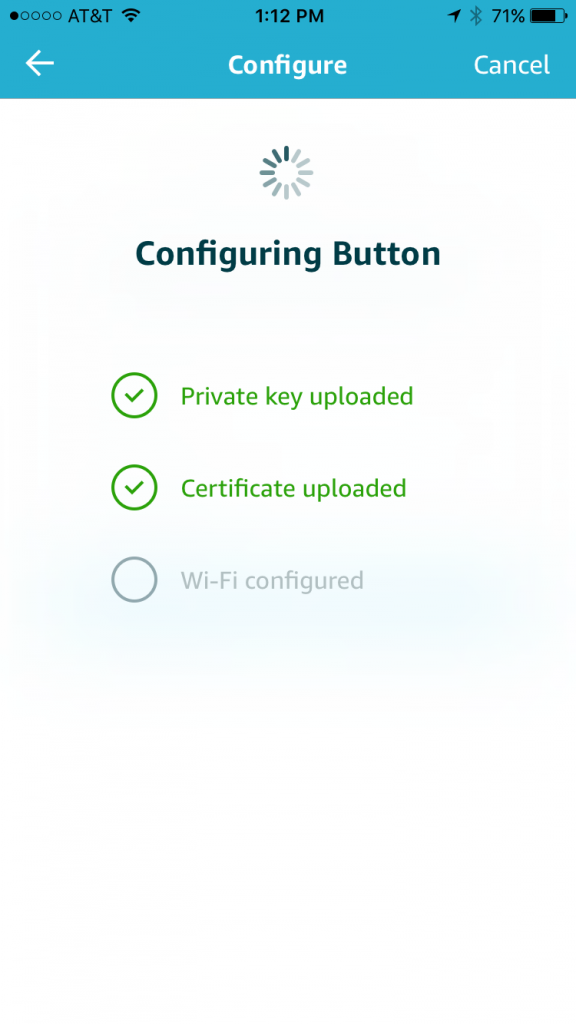
After this, the button is configured and ready to use. This blog skipped the part where a template Lambda Function is associated with the button click. If mobile app cannot be used then the button can be configured manually.
Use IoT Button as Trigger for Lambda Function
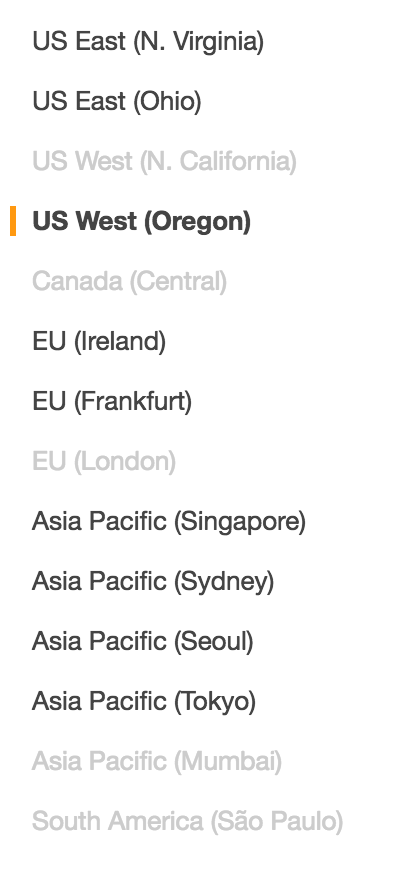
A aws lambda create-event-source-mapping CLI allows to create an event source for Lambda function. As of AWS CLI version 1.11.21, only Amazon Kinesis stream or an Amazon DynamoDB stream can be used. But for this blog, we’ll use IoT button as a trigger. And this has to be configured using AWS Lambda Console. IoT Button is only supported in a limited number of regions. For example, it is not supported in the us-west-1 region but us-west-2 region works. The list of regions not supported are greyed out in the following list:
Lambda Function can be triggered by several events. Lambda Function is invoked when any of these events occur. By default, no triggers are associated with a Lambda Function. For our HelloCouchbaseLambda function, these can be seen at us-west-2.console.aws.amazon.com/lambda/home?region=us-west-2#/functions/HelloCouchbaseLambda?tab=triggers.
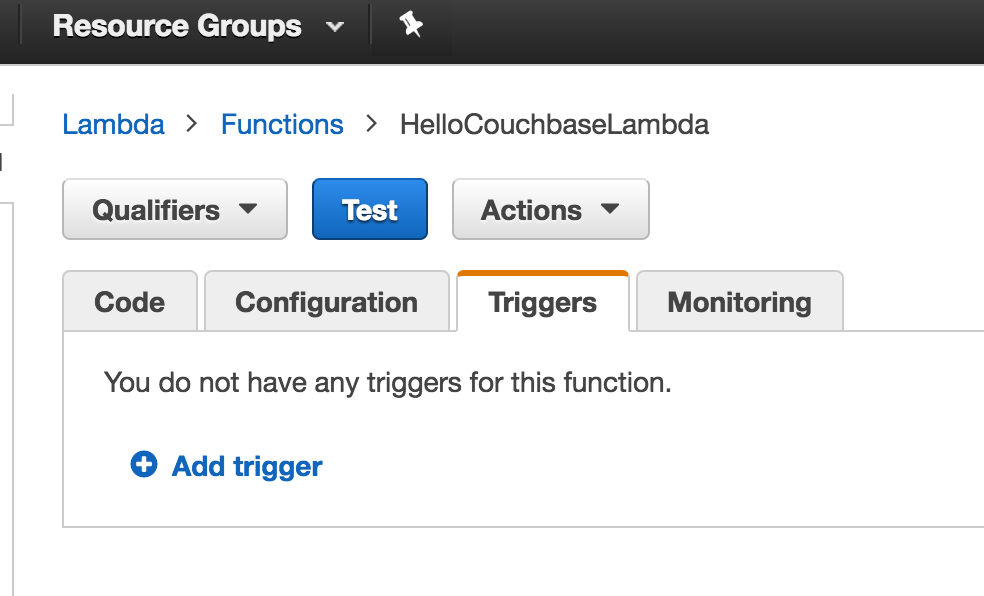
Click on Add trigger to add a new trigger:
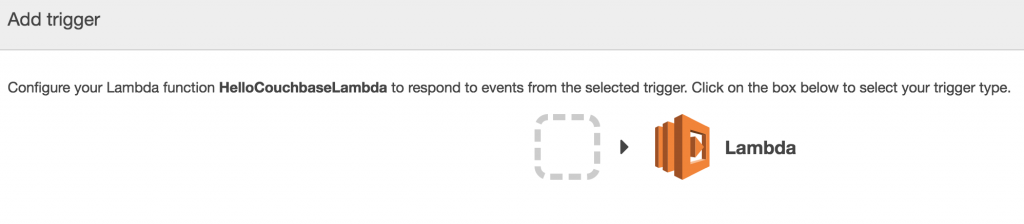
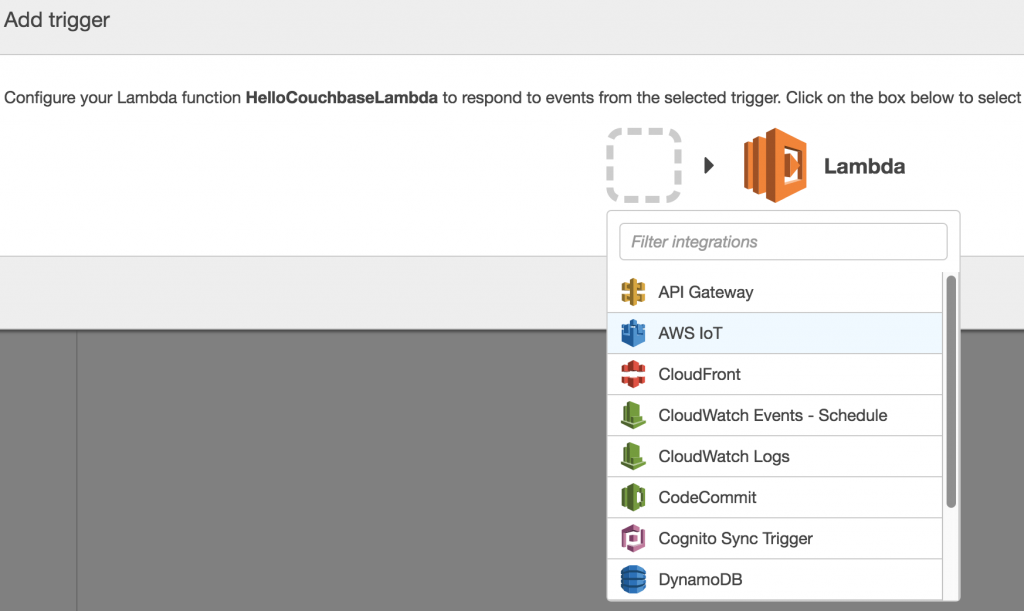
Select on the empty square to create a new trigger, and select AWS IoT:
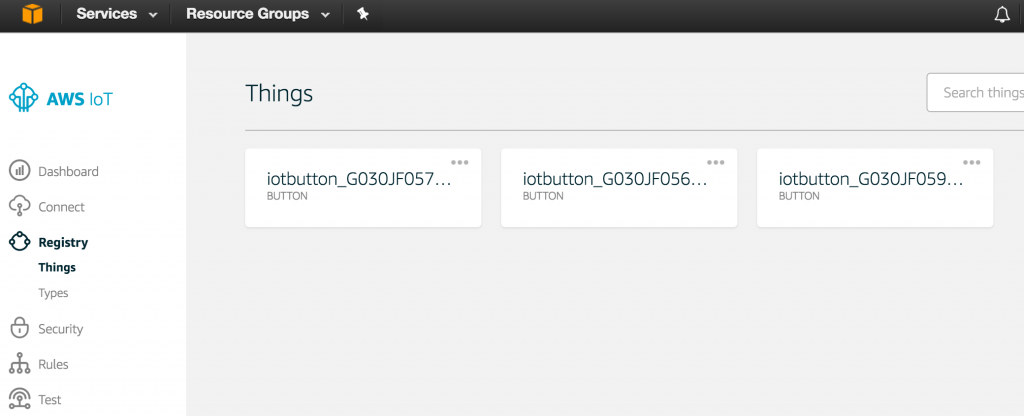
For the button previously registered, get the serial number from us-west-2.console.aws.amazon.com/iotv2/home?region=us-west-2#/thinghub:
Specify the serial number of the button in the AWS IoT trigger:

Click on Submit to create the trigger:
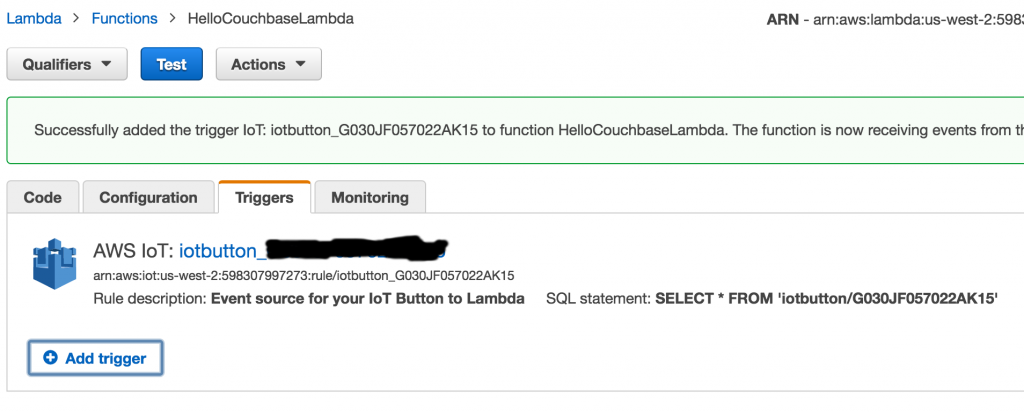
And this confirms that the trigger has been added.
Test IoT Button
Before testing the button, let’s login to the Couchbase instance and verify the number of JSON documents in the bucket:

This can be verified at https://:8091/index.html#sec=buckets. As expected, no documents exists in the bucket. Press the button once, and refresh the page. It shows that one document is now stored in the bucket. This is verified in the Couchbase Web Console:
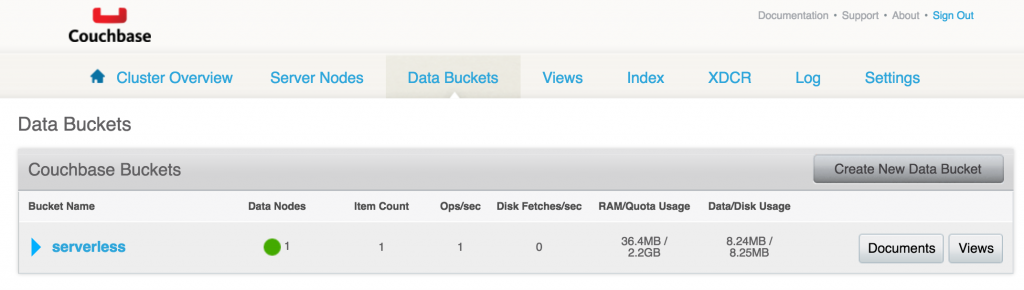
Click on Documentos to see the complete list of documents:

Click on the document ID to see more details about the document:
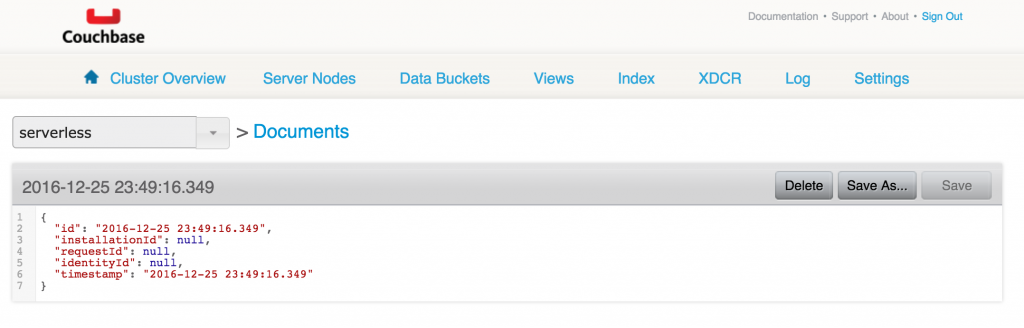
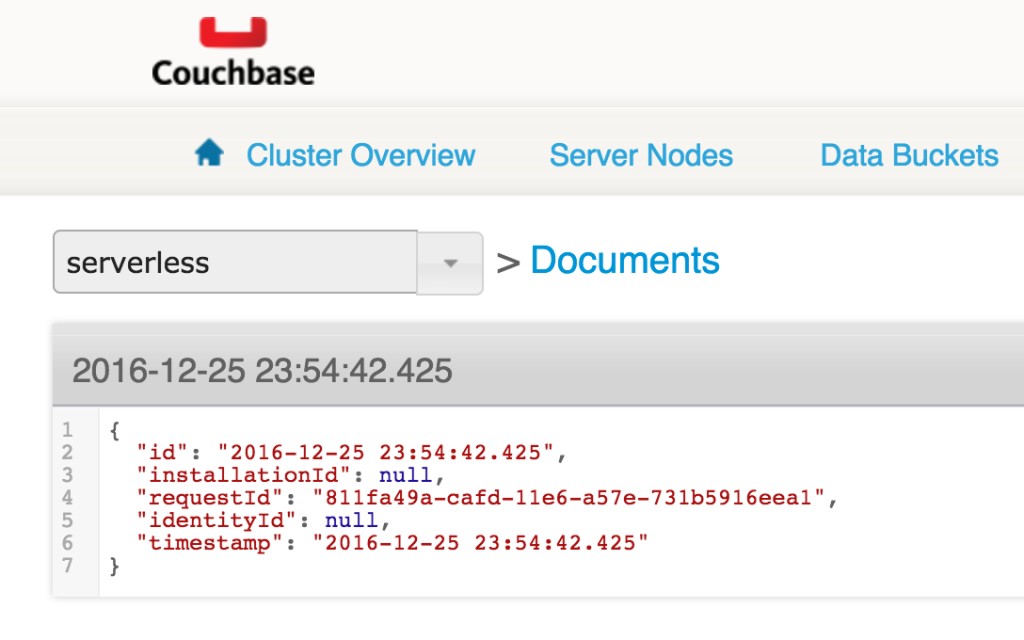
Only timestamp is stored in this JSON document. Now, let’s update HelloCouchbaseLambda code to include request id in the document as well. This can be achieved by adding the following line of code in the Java class:
|
1 |
buttonDocument.setRequestId(contexto.getAwsRequestId()); |
A new deployment package can be built and uploaded using the following command:
|
1 2 3 4 5 6 |
mvn clean package; aws lâmbda atualizar–função–code —função–nome HelloCouchbaseLambda —compactar–file fileb:///Users/arungupta/workspaces/serverless/aws/hellocouchbase/hellocouchbase/target/hellocouchbase-1.0-SNAPSHOT.jar —region us–west–2 —publish |
Now clicking the button will update the number of documents. But the updated document will have an additional attribute populated as shown:
How are you going to take AWS IoT button and use it with Lambda and Couchbase? Let us know at Fóruns do Couchbase.
References
Autor

Uma resposta
-
Hello… I have one question, I want to know.. is it possible to register IoT with out having aws logins is it possible? with out access i want to register the iot and give to cutomers.. so if they have it they can just useit.. instead of adding trigger to lambda function.. any suggestions.

Deixe um comentário
Você precisa fazer o login para publicar um comentário.