
안에 part 1 we saw how to scrape Twitter, turn tweets in JSON documents, get an embedding representation of that tweet, store everything in Couchbase and how to run a vector search. These are the first steps of a Retrieval Augmented Generation architecture that could summarize a twitter thread. The next step is to use a Large Language Model. We can prompt it to summarize the thread, and we can enrich the context of the prompt thanks to Vector Search.
LangChain and Streamlit
So how do we make this all work together with an LLM? That’s where the LangChain project can help. Its goal is to enable developers to build LLM-based applications. We already have some samples available on 깃허브 that showcase our LangChain module. Like this RAG demo allowing the user to upload a PDF, vectorize it, store it in Couchbase and use it in a chatbot. That one is in JavaScript, but there is also a Python version.
As it turns out, this is exactly what I want to do, except it’s using a PDF instead of a list of tweets. So I forked it and started playing with it here. Here, Nithish is using a couple interesting libraries, LangChain of course, and Streamlit. Another cool thing to learn! Streamlit is like a PaaS meet low code meet data science service. It allows you to deploy data-based apps very easily, with minimum code, in a very, very opinionated way.
Configuration
Let’s break down the code in smaller chunks. We can start with the configuration. The following method makes sure the right environment variables are set, and stops the application deployment if they are not.
그 check_environment_variable method is called several time to make sure the needed configuration is set, and if not will stop the app.
|
1 2 3 4 5 |
def check_environment_variable(variable_name): “””Check if environment variable is set””” 만약 variable_name not 안으로 os.environ: st.오류(f“{variable_name} environment variable is not set. Please add it to the secrets.toml file”) st.stop() |
|
1 2 3 4 5 6 7 8 |
check_environment_variable(“OPENAI_API_KEY”) # The OpenApi API Key I have created and user earlier check_environment_variable(“DB_CONN_STR”) # A connection string to connect to Couchbase, like couchbase://localhost or couchbases://cb.abab-abab.cloud.couchbase.com check_environment_variable(“DB_USERNAME”) # Username check_environment_variable(“DB_PASSWORD”) # And password to connect to Couchbase check_environment_variable(“DB_BUCKET”) # The name of the bucket containing our scopes and collection check_environment_variable(“DB_SCOPE”) # Scope check_environment_variable(“DB_COLLECTION”) # and collection name, you can think of a collection as a table in RDBMS check_environment_variable(“INDEX_NAME”) # The name of the search vector index |
This means everything in there is needed. A connection to OpenAI and to 카우치베이스. Let’s quickly talk about Couchbase. It’s a JSON, multi-model distributed database with an integrated cache. You can use it as K/V, SQL, Full-text Search, Time Series, Analytics, and we added fantastic new features in 7.6: Recursive CTEs to do graph queries, or the one that interests us most today, Vector Search. Fastest way to try is to go to cloud.couchbase.com, there is a 30 day trial, no credit card required.
From there you can follow the steps and get your new cluster setup. Setup a bucket, scope, collection and index, a user and make sure your cluster is available from outside and you can move on to the next part. Getting a connection to Couchbase from the app. It can be done with these two functions. You can see they are annotated with @st.cache_resource. It’s used to cache the object from Streamlit’s perspective. It makes it available for other instances or reruns. Here’s the doc excerpt
Decorator to cache functions that return global resources (e.g. database connections, ML models).
Cached objects are shared across all users, sessions, and reruns. They must be thread-safe because they can be accessed from multiple threads concurrently. If thread safety is an issue, consider using st.session_state to store resources per session instead.
|
1 2 3 4 5 6 7 8 9 10 11 12 13 14 15 16 17 18 19 20 21 22 23 24 25 26 27 28 29 30 31 32 33 34 35 36 37 38 |
에서 langchain_community.vectorstores 가져오기 CouchbaseVectorStore 에서 langchain_openai 가져오기 OpenAIEmbeddings @st.cache_resource(show_spinner=“Connecting to Vector Store”) def get_vector_store( _cluster, db_bucket, db_scope, db_collection, _embedding, index_name, ): “””Return the Couchbase vector store””” vector_store = CouchbaseVectorStore( 클러스터=_cluster, bucket_name=db_bucket, scope_name=db_scope, collection_name=db_collection, 임베딩=_embedding, index_name=index_name, 텍스트_열쇠 ) 반환 벡터_store @st.cache_resource(show_spinner=“Connecting to Couchbase”) def connect_to_couchbase(connection_string, db_username, db_password): “””Connect to couchbase””” 에서 카우치베이스.클러스터 가져오기 클러스터 에서 카우치베이스.auth 가져오기 PasswordAuthenticator 에서 카우치베이스.옵션 가져오기 ClusterOptions 에서 datetime 가져오기 timedelta auth = PasswordAuthenticator(db_username, db_password) 옵션 = ClusterOptions(auth) connect_string = connection_string 클러스터 = 클러스터(connect_string, 옵션) # Wait until the cluster is ready for use. 클러스터.wait_until_ready(timedelta(seconds=5)) 반환 클러스터 |
So with this we have a connection to the Couchbase cluster and a connection to the LangChain Couchbase vector store wrapper.
connect_to_couchbase(connection_string, db_username, db_password) creates the Couchbase cluster connection. get_vector_store(_cluster, db_bucket, db_scope, db_collection, _embedding, index_name,) creates the CouchabseVectorStore wrapper. It holds a connection to the cluster, the bucket/scope/collection information to store data, the index name to make sure we can query the vectors, and and embedding property.
Here it refers to the OpenAIEmbeddings function. It will automatically pick up the OPENAI_API_KEY and allow LangChain to use OpenAI’s API with the key. Every API call will be made transparent by LangChain. Which also means that switching model provider should be fairly transparent when it comes to embedding management.
Writing LangChain Documents to Couchbase
Now, where the magic happens, where we get the tweets, parse them as JSON, create the embedding and write the JSON doc to the specific Couchbase collection. Thanks to Steamlit we can set up a file upload widget and execute an associated function:
|
1 2 3 4 5 6 7 8 9 10 11 12 13 14 15 16 17 18 19 20 21 22 23 24 |
가져오기 tempfile 가져오기 os 에서 랑체인.docstore.document 가져오기 문서 def save_tweet_to_vector_store(uploaded_file, vector_store): 만약 uploaded_file 이다 not None: 데이터 = JSON.load(uploaded_file) # Parse the uploaded file in JSON, expecting an array of objects docs = [] ids = [] ~를 위해 tweet 안으로 데이터: # For all JSON tweets 텍스트 = tweet[‘text’] full_text = tweet[‘full_text’] 아이디 = tweet[‘id’] # Create the Langchain Document, with a text field and associated metadata. 만약 full_text 이다 not None: 의사 = 문서(page_content=full_text, 메타데이터=tweet) 그 외: 의사 = 문서(page_content=텍스트, 메타데이터=tweet) docs.append(의사) ids.append(아이디) # Create a similar array for Couchbase doc IDs, if not provided, uuid will be automatically generated vector_store.add_documents(documents = docs, ids = ids) # Store all documents and embeddings st.info(f“tweet and replies loaded into vector store in {len(docs)} documents”) |
It looks somewhat similar to the code in part 1, except all the embedding creation is managed transparently by LangChain. The text field will be vectorized, the metadata will be added to the Couchbase doc. It will look like this:
|
1 2 3 4 5 6 7 8 9 10 11 12 13 14 15 16 17 18 19 20 21 22 23 24 25 26 27 28 29 30 |
{ “text”: “@kelseyhightower SOCKS! I will throw millions of dollars at the first company to offer me socks!nnImportant to note here: I don’t have millions of dollars! nnI think I might have a problem.”, “embedding”: [ –0.0006439118069540552, –0.021693240183757154, 0.026031888593037636, –0.020210755239867904, –0.003226784468532888, ....... –0.01691936794757287 ], “metadata”: { “created_at”: “Thu Apr 04 16:15:02 +0000 2024”, “id”: “1775920020377502191”, “full_text”: null, “text”: “@kelseyhightower SOCKS! I will throw millions of dollars at the first company to offer me socks!nnImportant to note here: I don’t have millions of dollars! nnI think I might have a problem.”, “lang”: “en”, “in_reply_to”: “1775913633064894669”, “quote_count”: 1, “reply_count”: 3, “favorite_count”: 23, “view_count”: “4658”, “hashtags”: [], “user”: { “id”: “4324751”, “이름”: “Josh Long”, “screen_name “: “starbuxman”, “url “: “https://t.co/PrSomoWx53” } } |
From now on we have functions to manage the tweets upload, vectorize the tweets and store them in Couchbase. Time to use Streamlit to build the actual app and manage the chat flow. Let’s split that function into several chunks.
Write a Streamlit Application
Starting with the main declaration and the protection of the app. You don’t want anyone to use it, and use your OpenAI credits. Thanks to Streamlit it can be done fairly easily. Here we setup a password protection using the LOGIN_PASSWORD env variable. And we also setup the global page config thanks to the set_page_config method. This will give you a simple form to enter the password, and a simple page.
|
1 2 3 4 5 6 7 8 9 10 11 12 13 14 15 16 17 18 19 20 |
만약 이름 == “__main__”: # Authorization 만약 “auth” not 안으로 st.session_state: st.session_state.auth = False st.set_page_config( page_title=“Chat with a tweet export using Langchain, Couchbase & OpenAI”, page_icon=“🤖”, layout=“centered”, initial_sidebar_state=“auto”, menu_items=None, ) AUTH = os.getenv(“LOGIN_PASSWORD”) check_environment_variable(“LOGIN_PASSWORD”) # Authentication user_pwd = st.text_input(“Enter password”, 유형=“비밀번호”) pwd_submit = st.button(“Submit”) 만약 pwd_submit 그리고 user_pwd == AUTH: st.session_state.auth = True elif pwd_submit 그리고 user_pwd != AUTH: st.오류(“Incorrect password”) |
To go a bit further we can add the environment variable checks, OpenAI and Couchbase configuration, and a simple title to start the app flow.
|
1 2 3 4 5 6 7 8 9 10 11 12 13 14 15 16 17 18 19 20 21 22 23 24 25 26 27 28 29 30 31 32 |
만약 st.session_state.auth: # Load environment variables DB_CONN_STR = os.getenv(“DB_CONN_STR”) DB_USERNAME = os.getenv(“DB_USERNAME”) DB_PASSWORD = os.getenv(“DB_PASSWORD”) DB_BUCKET = os.getenv(“DB_BUCKET”) DB_SCOPE = os.getenv(“DB_SCOPE”) DB_COLLECTION = os.getenv(“DB_COLLECTION”) INDEX_NAME = os.getenv(“INDEX_NAME”) # Ensure that all environment variables are set check_environment_variable(“OPENAI_API_KEY”) check_environment_variable(“DB_CONN_STR”) check_environment_variable(“DB_USERNAME”) check_environment_variable(“DB_PASSWORD”) check_environment_variable(“DB_BUCKET”) check_environment_variable(“DB_SCOPE”) check_environment_variable(“DB_COLLECTION”) check_environment_variable(“INDEX_NAME”) # Use OpenAI Embeddings 임베딩 = OpenAIEmbeddings() # Connect to Couchbase Vector Store 클러스터 = connect_to_couchbase(DB_CONN_STR, DB_USERNAME, DB_PASSWORD) vector_store = get_vector_store( 클러스터, DB_BUCKET, DB_SCOPE, DB_COLLECTION, 임베딩, INDEX_NAME, ) st.title(“Chat with X”) |
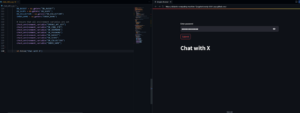
Streamlit has a nice codespace integration, I really encourage you to use it, it makes development really easy. And our VSCode plugin can be installed, so you can browse Couchbase and execute queries.
Create LangChain Chains
After that comes the chain setup. That’s really where LangChain shines. This is where we can set up the retriever. It’s going to be used by LangChain to query Couchbase for all the vectorized tweets. Then it’s time to build the RAG prompt. You can see the template takes a {context} 그리고 {question} parameter. We create a Chat prompt object from the template.
After that comes the LLM choice, here I chose GPT4. And finally the chain creation.
|
1 2 3 4 5 6 7 8 9 10 11 12 13 14 15 16 |
# Use couchbase vector store as a retriever for RAG retriever = vector_store.as_retriever() # Build the prompt for the RAG template = “””You are a helpful bot. If you cannot answer based on the context provided, respond with a generic answer. Answer the question as truthfully as possible using the context below: {context} Question: {question}””” prompt = ChatPromptTemplate.from_template(template) # Use OpenAI GPT 4 as the LLM for the RAG 대규모 언어 모델 = ChatOpenAI(temperature=0, 모델=“gpt-4-1106-preview”, streaming=True) # RAG chain chain = ( {“context”: retriever, “question”: RunnablePassthrough()} | prompt | 대규모 언어 모델 | StrOutputParser() ) |
The chain is built from the chosen model, the context and query parameters, the prompt object and a StrOuptutParser. Its role is to parse the LLM response and send it back as a streamable/chunkable string. The RunnablePassthrough method called for the question parameter is used to make sure it’s passed to the prompt ‘as is’ but you can use other methods to change/sanitize the question. That’s it, a RAG architecture. Giving some additional context to an LLM prompt to get a better answer.
We can also build one chain without it to compare the results:
|
1 2 3 4 5 6 7 8 9 10 11 |
# Pure OpenAI output without RAG template_without_rag = “”“You are a helpful bot. Answer the question as truthfully as possible. Question: {question}”“” prompt_without_rag = ChatPromptTemplate.from_template(template_without_rag) llm_without_rag = ChatOpenAI(모델=“gpt-4-1106-preview”) chain_without_rag = ( {“question”: RunnablePassthrough()} | prompt_without_rag | llm_without_rag | StrOutputParser() ) |
No need for context in the prompt template and chain parameter, and no need for a retriever.
Now that we have a couple chain, we can use them through Streamlit. This code will add the first question and the sidebar, allowing for fileupload:
|
1 2 3 4 5 6 7 8 9 10 11 12 13 14 15 16 17 18 19 20 21 22 23 24 25 26 27 28 29 30 31 32 33 34 35 36 37 |
# Frontend couchbase_logo = ( “https://emoji.slack-edge.com/T024FJS4M/couchbase/4a361e948b15ed91.png” ) st.markdown( “Answers with [Couchbase logo](https://emoji.slack-edge.com/T024FJS4M/couchbase/4a361e948b15ed91.png) are generated using RAG while 🤖 are generated by pure LLM (ChatGPT)” ) ~와 함께 st.sidebar: st.header(“Upload your X”) ~와 함께 st.form(“upload X”): uploaded_file = st.file_uploader( “Choose a X export.”, 도와주세요=“The document will be deleted after one hour of inactivity (TTL).”, 유형=“json”, ) submitted = st.form_submit_button(“Upload”) 만약 submitted: # store the tweets in the vector store save_tweet_to_vector_store(uploaded_file, vector_store) st.subheader(“How does it work?”) st.markdown( “”“ For each question, you will get two answers: * one using RAG ([Couchbase logo](https://emoji.slack-edge.com/T024FJS4M/couchbase/4a361e948b15ed91.png)) * one using pure LLM – OpenAI (🤖). ““” ) st.markdown( “For RAG, we are using [Langchain](https://langchain.com/), [Couchbase Vector Search](https://couchbase.com/) & [OpenAI](https://openai.com/). We fetch tweets relevant to the question using Vector search & add it as the context to the LLM. The LLM is instructed to answer based on the context from the Vector Store.” ) # View Code 만약 st.checkbox(“View Code”): st.write( “View the code here: [Github](https://github.com/couchbase-examples/rag-demo/blob/main/chat_with_x.py)” ) |
Then the instructions and input logic:
0
With that you have everything needed to run the streamlit app that allows the user to:
- Upload a JSON file containing tweets
- Transform each tweet into a LangChain Document
- Store them in Couchbase along with their embedding representation
- Manage two different prompts:
- one with a LangChain retriever to add context
- and one without
If you run the app you should see something like this:

결론
And when you ask “are Socks are important to developers ?”, you get those two very interesting answers:
Based on the context provided, it seems that socks are important for some developers, as mentioned by Josh Long and Simon Willison in their tweets. They express a desire for socks and seem to value them.
Socks are important for developers as they provide comfort and support while spending long hours sitting at a computer. Additionally, keeping feet warm can help improve focus and productivity.
Voilà, we have a bot that knows about a twitter thread, and can answer accordingly. And the fun thing is it did not use just the text Vector in the context, it also used all the metadata stored like the username, because we also indexed all the LangChain document metadata when creating the Index in part 1.
But is this really summarizing the X thread? Not really. Because Vector Search will enrich context with closest documents and not the full thread. So there is a bit of data engineering to do. Let’s talk about this in the next part!
자원
- Get the RAG demo code example to follow along
- Sign up for a free trial of Couchbase Capella DBaaS to try it yourself

댓글 남기기
댓글을 달기 위해서는 로그인해야합니다.