

This blog is the first part of a multi-part series. The first part showed how to set up Windows Server 2016 as a VirtualBox VM. This second part will show how to configure Docker on Windows 2016 VM.
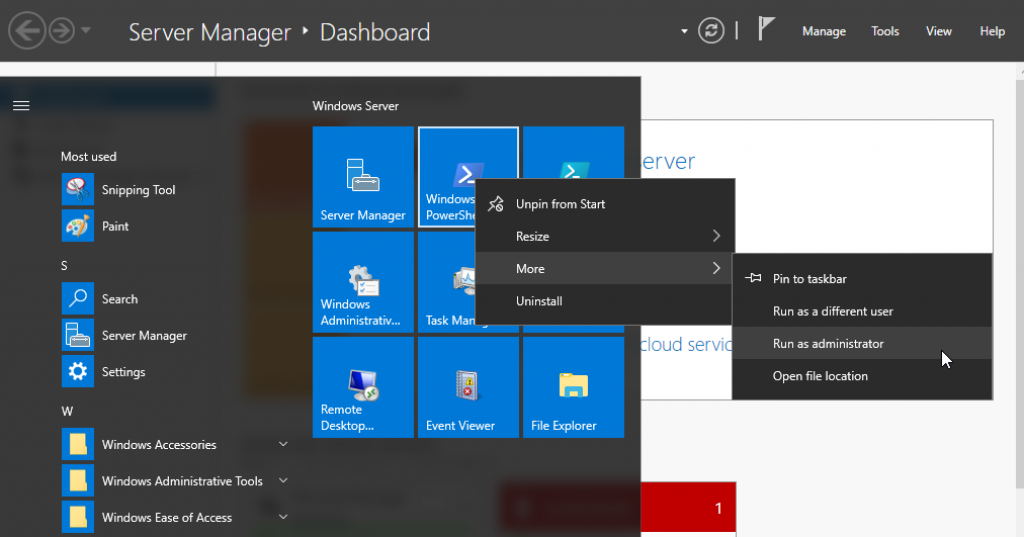
- Start an elevated PowerShell session:
- Run the script to install Docker:
This will install the PowerShell module, enable containers feature and install Docker.
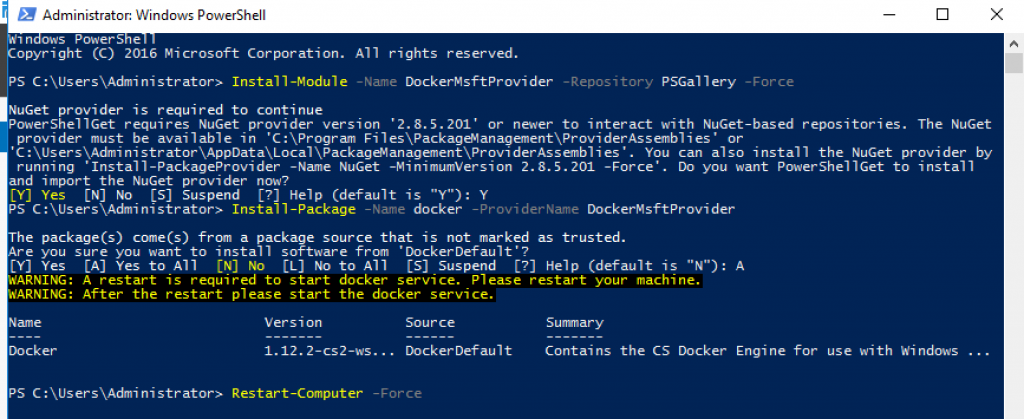
The VM needs to be restarted in order for the containers to be enabled. Refer to Container Host Deployment – Windows Server for more detailed instructions.
- The VM reboots. Start a PowerShell and check Docker version using
docker versioncommand: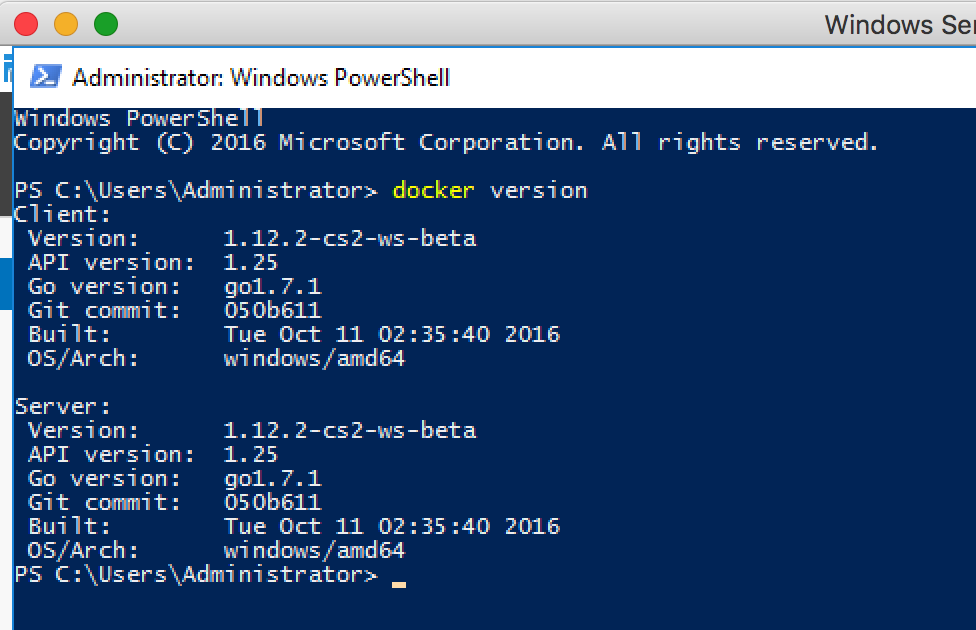 More details about Docker can be found using the
 docker infocommand:
- Run your first Docker container using the
docker run -it -p 80:80 microsoft/iiscommand: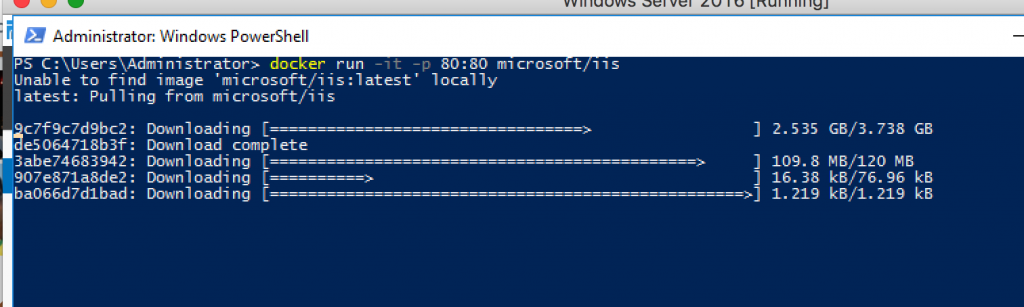 This will download the Microsoft IIS server Docker image. This is going to take a while so please be patient!
 - Once the 8.9 GB image is downloaded (after a while), the IIS server is started for you. Check the list of images using the
docker imagescommand and the list of running containers using thedocker pscommand: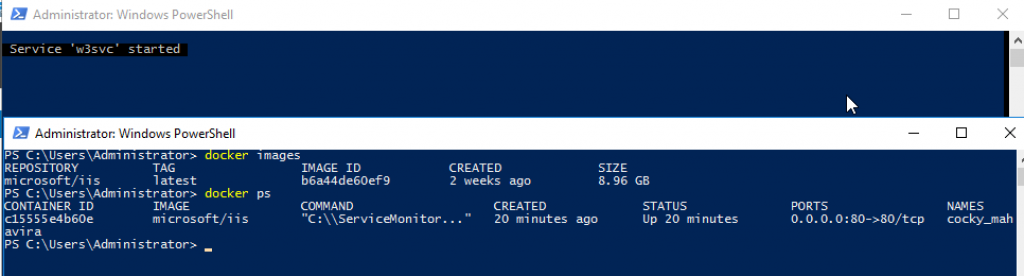 More details about the container can be found using the
 docker inspectcommand: - The exact IP address of the container can be found using the command:
IIS main page is accessible at https://, as shown below:
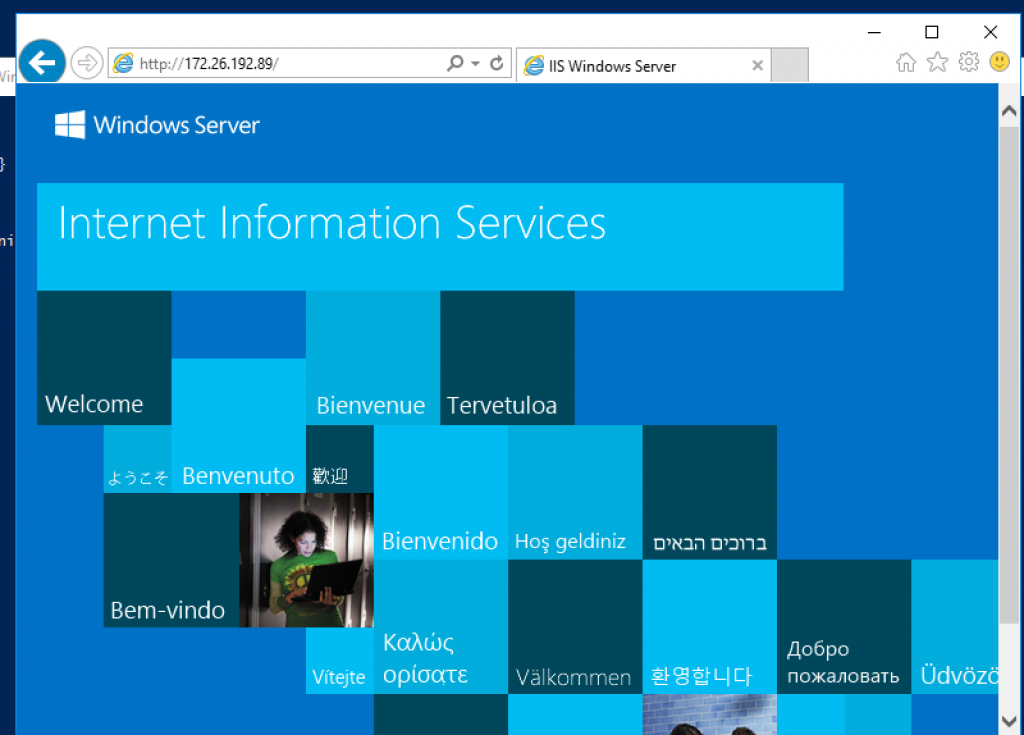
The next part will show how to create your own Docker image on Windows Server 2016.

댓글 남기기
댓글을 달기 위해서는 로그인해야합니다.