
We’re excited to announce that Couchbase is now supported as a vector store in Agno. This integration brings together the best of Agno’s agent orchestration capabilities and Couchbase’s high-performance, scalable vector store. It allows developers to build intelligent, multi-agent systems powered by fast and efficient vector search.
Agno is an open-source, full-stack framework for building multi-agent systems. It offers a clean, composable, and Pythonic approach to building AI agents with the tools, memory, and reasoning capabilities. It’s easy to use, extremely fast, and supports multi-modal inputs and outputs.
Let’s explore this integration further!
Setting up Agno with Couchbase
To get started with Agno and Couchbase, you’ll need to follow a few simple steps.
Installing Agno
You can install Agno and other required dependencies by running the following command:
|
1 |
pip 설치 –U agno 카우치베이스 오픈에이아이 |
You can now begin using Agno’s CLI to configure agents and vector stores.
Connecting to Couchbase and performing vector search
Now that Agno and Couchbase dependencies are installed, you can connect Couchbase as a vector store and perform vector searches. Here’s how:
Import the packages and initialize the Couchbase database instance.
|
1 2 3 4 5 6 7 8 9 10 11 12 13 14 15 16 17 |
에서 agno.에이전트 가져오기 Agent 에서 agno.embedder.오픈에이아이 가져오기 OpenAIEmbedder 에서 agno.knowledge.pdf_url 가져오기 PDFUrlKnowledgeBase 에서 agno.vectordb.카우치베이스 가져오기 CouchbaseSearch 에서 카우치베이스.옵션 가져오기 ClusterOptions, KnownConfigProfiles 에서 카우치베이스.auth 가져오기 PasswordAuthenticator 에서 카우치베이스.관리.검색 가져오기 SearchIndex # Couchbase connection settings 사용자 이름 = os.getenv(“COUCHBASE_USER”) 비밀번호 = os.getenv(“COUCHBASE_PASSWORD”) connection_string = os.getenv(“COUCHBASE_CONNECTION_STRING”) # Create cluster options with authentication auth = PasswordAuthenticator(사용자 이름, 비밀번호) cluster_options = ClusterOptions(auth) cluster_options.apply_profile(KnownConfigProfiles.WanDevelopment) |
Specify the username, password and connection string to your Couchbase Cluster.
Initialize Vector Store
Now we initialize the Couchbase Vector Store:
|
1 2 3 4 5 6 7 8 9 10 11 12 13 14 15 |
vector_db=CouchbaseSearch( bucket_name=“recipe_bucket”, scope_name=“recipe_scope”, collection_name=“recipes”, couchbase_connection_string=connection_string, cluster_options=cluster_options, search_index=“vector_search_fts_index”, embedder=OpenAIEmbedder( 아이디=“text-embedding-3-large”, 치수=3072, API 키=os.getenv(“OPENAI_API_KEY”) ), wait_until_index_ready=60, overwrite=True ), |
Specify the bucket, scope and collection for your Couchbase cluster. Also, define what Embedding model you will use to generate the embeddings.
Load data
Create a PDF url knowledge base instance and load the data into the instance. We use a public recipe pdf data as an example.
|
1 2 3 4 5 6 7 8 9 10 |
# Create knowledge base knowledge_base = PDFUrlKnowledgeBase( urls=[“https://phi-public.s3.amazonaws.com/recipes/ThaiRecipes.pdf”], vector_db=vector_db, ) knowledge_base.load(recreate=False) # Comment out after first run # Wait for the vector index to sync with KV time.sleep(20) |

Use Agno agent to perform vector search
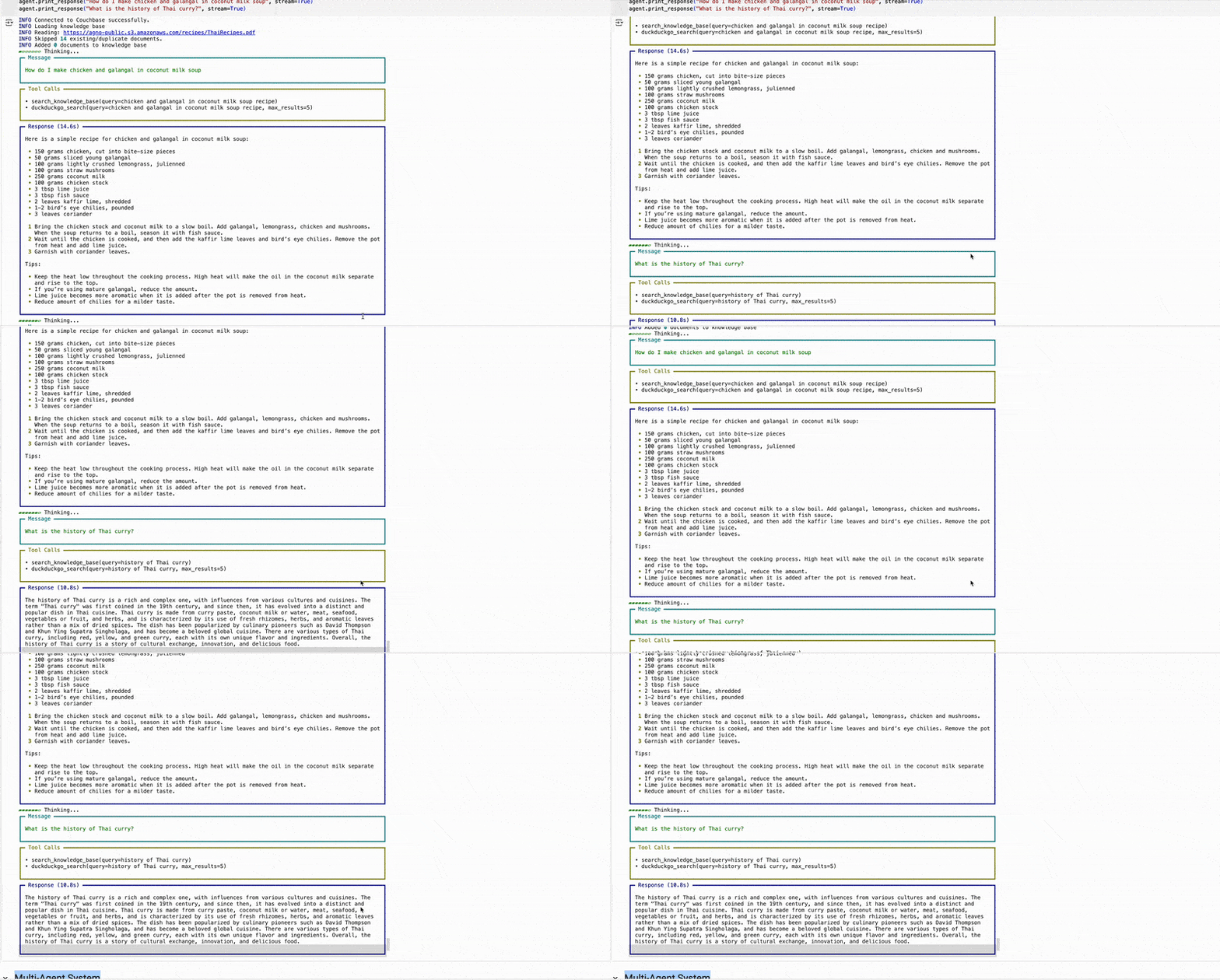
Once you’ve configured your Couchbase vector store, and inserted the documents, integrate the knowledge base into an agent, then we can ask the agent a question and get a response.
|
1 2 3 |
# Create and use the agent 에이전트 = Agent(knowledge=knowledge_base, show_tool_calls=True) 에이전트.print_response(“How to make Thai curry?”, markdown=True) |
결론
With the integration of Agno’s robust agentic framework with Couchbase’s high-performance vector search capabilities, developers can create scalable, AI-driven applications that efficiently handle complex data retrieval and reasoning tasks. This enables agents to perform semantic searches, enhance contextual understanding, and deliver more accurate responses. Whether you’re working on semantic search, RAG applications, or other AI-driven use cases, this setup ensures efficiency and accuracy.
Next steps
More information is available in the Agno documentation, including an integration guide to 카우치베이스.
Happy coding!

댓글 남기기
댓글을 달기 위해서는 로그인해야합니다.