

The Dropbox Datastore and Sync APIs were recently deprecated.
Last week, Chris Anderson wrote a 블로그 게시물 on why you should choose open source projects to solve this really challenging problem.
Now it’s time to code!
We will start with the Lists-ios example app demonstrating how to use the Datastore API.
Once you link the app with your Dropbox account you can sync Lists to the iOS app and Web app:
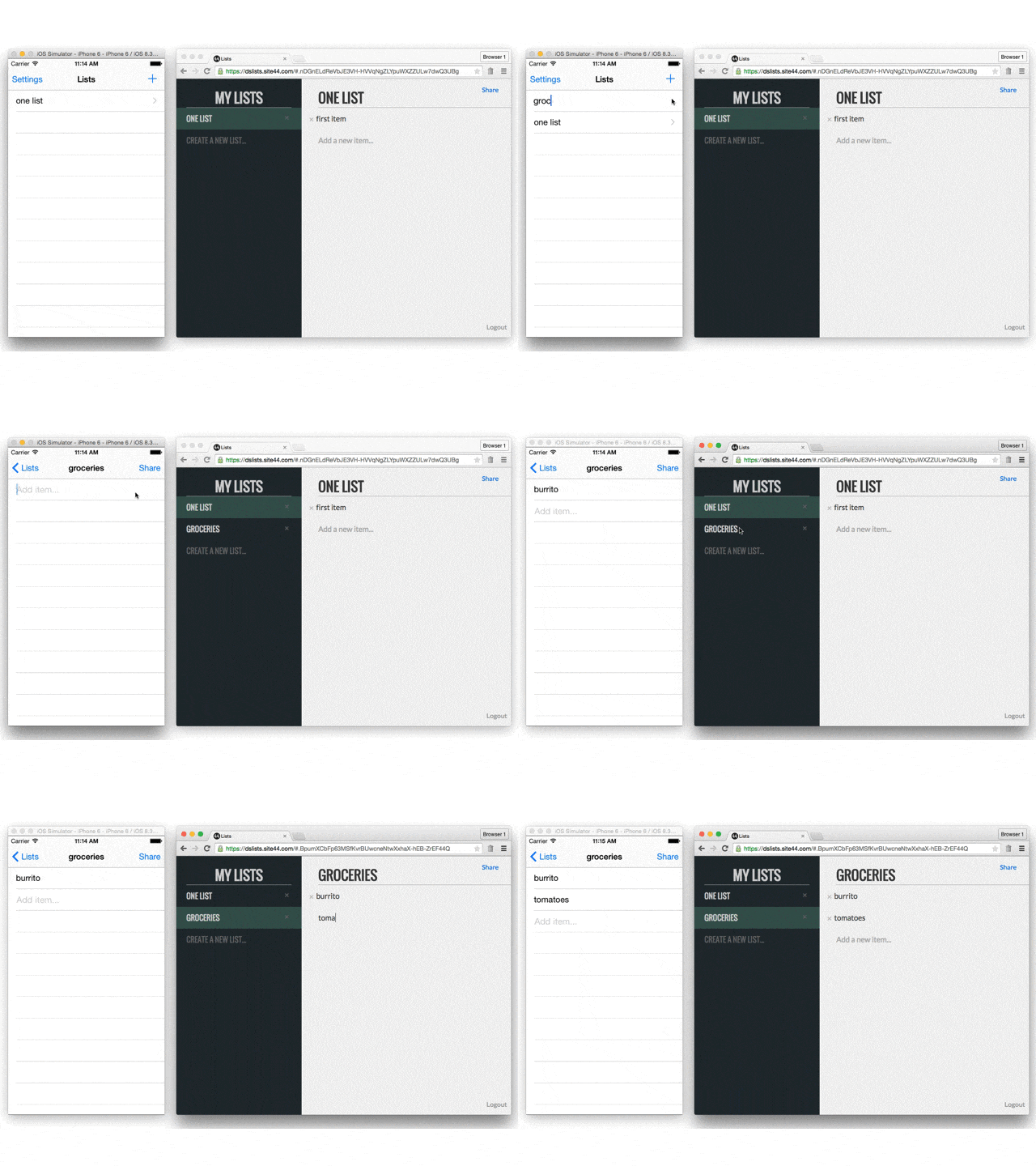
In the screencast video, we’ll take a look at what it takes to migrate it to Couchbase Mobile. I will do so using Couchbase Lite packaged in the app and Sync Gateway as the sync server:
The changes to the source code are:
- setting up the database in the viewDidLoad method (timestamp: 4m40s, GitHub: code snippet)
- saving documents locally when the keyboard returns (timestamp: 12m14s, GitHub: code snippet)
- initialising the live query (timestamp: 6m, GitHub: code snippet)
There are many other features I didn’t cover in this screencast such as user authentication, configuring the sync function and installing Couchbase Server to persist those documents on the server-side.
그 ToDoLite-iOS 그리고 ToDoLite-Android demo apps use Facebook Login to authenticate users and share lists. The access control rules for determining the users that have access to a given list are defined in the sync function.
One last point I didn’t cover in the screencast is how to build a web client for your application with Couchbase Mobile. That could be a simple website or a more full featured web app. We could use the Sync Gateway REST API for fetching the List and Task documents and/or use 파우치DB to sync the documents to and from Sync Gateway.

댓글 남기기
댓글을 달기 위해서는 로그인해야합니다.