카우치베이스 incorporated Swagger into our documentation a few months ago. “Swagger” refers to an ecosystem of tools and other resources for managing REST APIs.
Core to Swagger is the Swagger specification. (The group behind Swagger donated the spec to the OpenAPI Initiative. The original site, swagger.io remains the main site for tools and such.)
Once you have the API spec defined for you endpoints, you get several valuable capabilities. My two favorite are the “live” embeddable documentation and the client libraries. Take a look at this short video for a demonstration of some of the features of Swagger.
[youtube https://www.youtube.com/watch?v=0UWiE-c9Nds&w=560&h=315]
For an example of using a Swagger JavaScript client, take a look at this blog post: https://www.couchbase.com/blog/node-js-swagger-monitor-document-changes-couchbase-mobile/
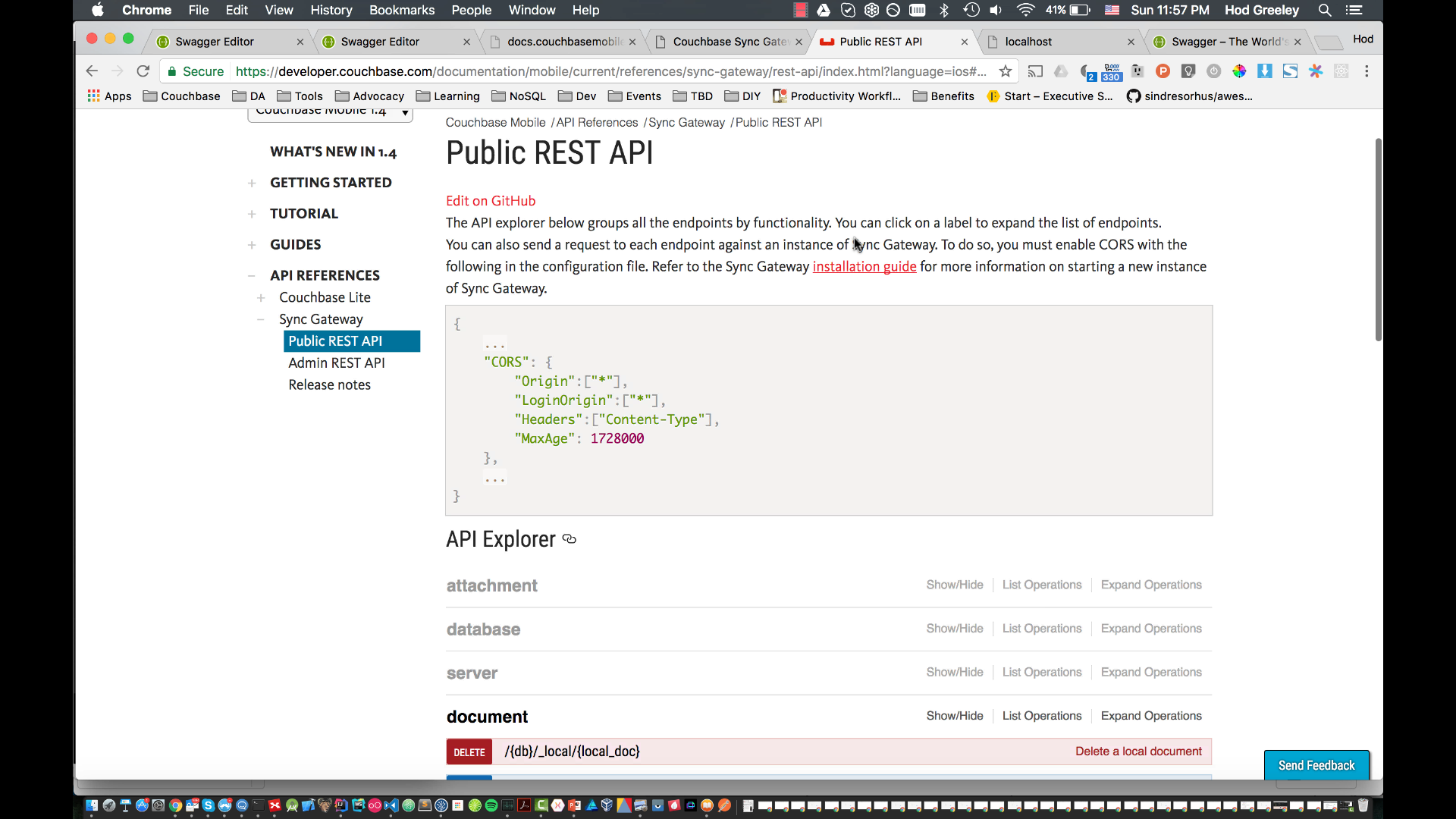
You can find the Swagger specs for the Sync Gateway public API 여기, and the admin API 여기.
Here are the Sync Gateway configurations I refer to in the video. The first has the CORS configuration to allow access from swagger.io.
|
1 2 3 4 5 6 7 8 9 10 11 12 13 14 |
{ “로그”: [“*”], “CORS”: { “Origin”:[“*”], “Headers”: [“Content-Type”] }, “데이터베이스”: { “db”: { “서버”: “바다코끼리:”, “사용자”: { “손님”: { “비활성화됨”: 거짓, “관리자_채널”: [“*”] } }, “allow_empty_password”: 참인 } } } |
The second is for trying out calls through our live documentation.
|
1 2 3 4 5 6 7 8 9 10 11 12 13 14 15 16 17 18 19 20 21 22 23 24 |
{ “로그”: [ “*” ], “SSLCert”: “cert.pem”, “SSLKey”: “privkey.pem”, “CORS”: { “Origin”: [“*”], “Headers”: [“Content-Type”] }, “데이터베이스”: { “db”: { “서버”: “바다코끼리:”, “사용자”: { “손님”: { “비활성화됨”:거짓, “관리자_채널”: [ “*” ] } } } } } |
(Note: There’s currently a known issue with making the calls from the Couchbase documentation. Couchbase now requires access via https, in keeping with security best practices. This means the documentation also redirects using https. This means you have to set up Sync Gateway to use SSL. See the documentation 여기 for more information.)
추신
Download Couchbase and Sync Gateway 여기. See our 문서화 for how to add Couchbase Lite to a project.
저희 쪽에서 더 많은 자료를 확인해 보세요 개발자 포털 그리고 트위터에서도 팔로우하세요 @CouchbaseDev.
당사는 다음 곳에 질문을 게시할 수 있습니다. 포럼. 그리고 우리는 적극적으로 참여합니다 스택 오버플로.
Hit me up on Twitter with any questions, comments, topics you’d like to see, etc. @HodGreeley

댓글 남기기
댓글을 달기 위해서는 로그인해야합니다.