

Couchbase Docker images are always at hub.docker.com/_/couchbase/. Complete instructions to run Couchbase Docker Container are available at docs.docker.com/engine/examples/couchbase/.
Start Couchbase Docker Container
How do you start a Couchbase Docker container?
|
1 |
도커 실행 –d –p 8091–8093:8091–8093 –p 11210:11210 카우치베이스 |
By default, this command starts Couchbase Server 4.1 Enterprise Edition. The latest GA images are always available using this image name. This server needs to be manually configured by going to the Web Console on https://:8091. The IP address of the Docker Host in my case is obtained using:
|
1 |
도커–machine IP 카우치베이스 |
The instructions to configure the server are available at at docs.docker.com/engine/examples/couchbase/.
Pre-configured Couchbase Docker Container
If you want a pre-configured server, then you can run the image:
|
1 |
도커 실행 –d –p 8091–8093:8091–8093 –p 11210:11210 arungupta/카우치베이스 |
This image is created using Dockerfile and configures the following:
- Configures the memory
- Configures Index, Query, and Data service
- Sets up username/password credentials
Couchbase 4.5 Docker Container
Couchbase 4.5 Developer Preview was launched recently. It can run as a Docker container as:
|
1 2 3 4 5 6 7 8 9 10 11 12 13 14 15 |
도커 실행 –d –p 8091–8093:8091–8093 –p 11210:11210 카우치베이스/서버:기업–4.5.0–DP1 Unable -로 찾다 image ‘couchbase/server:enterprise-4.5.0-DP1’ locally 기업–4.5.0–DP1: Pulling 에서 카우치베이스/서버 a64038a0eeaa: Pull 완료 2ec6e7edf8a8: Pull 완료 0a5fb6c3c94b: Pull 완료 a3ed95caeb02: Pull 완료 7d007592b256: Pull 완료 31cbaa6abb86: Pull 완료 efe43bf775c4: Pull 완료 e8fff3fce5e8: Pull 완료 2a747598893c: Pull 완료 Digest: sha256:873f2d8776d15019d8a45d01a2be5db345823b3093a3538970f1cd441c57d91c 상태: Downloaded newer image ~를 위해 카우치베이스/서버:기업–4.5.0–DP1 b4ea7e969278b94fd9748003f7305e5ffcc30b398c6c6301982895550fd7fd24 |
Notice the image name is couchbase/server:enterprise-4.5.0-DP1. . Couchbase Web Console is then accessible at https://:8091. The IP address of the Docker Host in my case is obtained using:
|
1 |
도커–machine IP 카우치베이스 |
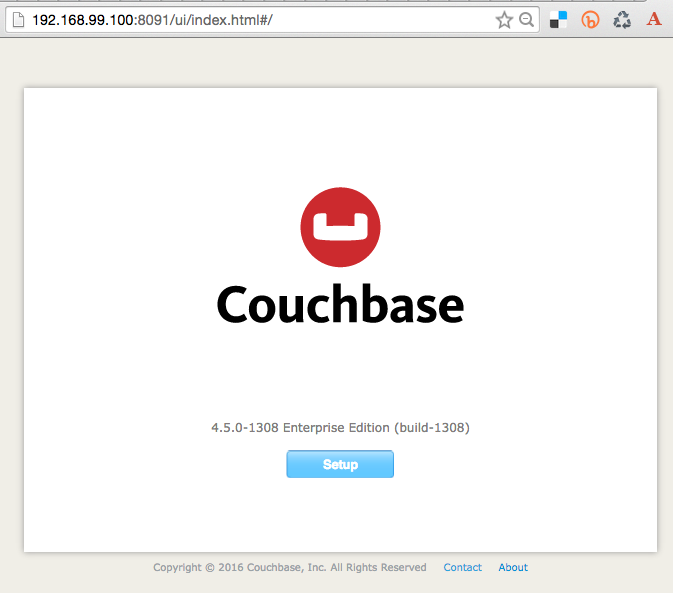
And so the Web Console looks like:
After configuring the services, the Console looks like:

Pre-configured Couchbase 4.5 Docker Container
Now, if you want a pre-configured server, try this:
|
1 |
도커 실행 –d –p 8091–8093:8091–8093 –p 11210:11210 arungupta/카우치베이스–서버 |
This image is created using Dockerfile and configures the following:
- Configures the memory
- Configures Index, Query, Data, and Full-text service
- Sets up username/password credentials
So, here are the images you need to use:
| Image | Purpose |
|---|---|
카우치베이스 |
Last GA version of Couchbase |
couchbase/server |
Intermediate builds of Couchbase, such as Developer Preview, Beta, etc |
arungupta/couchbase |
Last GA version of Couchbase, pre-configured |
arungupta/couchbase-server |
Intermediate builds of Couchbase, pre-configured |
Easy, eh?

댓글 남기기
댓글을 달기 위해서는 로그인해야합니다.