

Azure is where Microsoft is spending a lot of its efforts lately. Microsoft is dedicated to making Azure a success. As someone who started working with Azure a little in the early days, I can say that it’s come a long way, and offers a remarkable set of services at good prices.
But not everyone is on board with Azure or even with cloud computing yet. If you haven’t yet dipped your toe into the Azure pool, but are curious, this blog post is for you.
What is cloud computing? What is Azure?
Cloud computing basically means that instead of running applications in your own data center, you run it in someone else’s data center. Why would I do that?
Running a data center is difficult and expensive. You have to purchase hardware, manage upgrades, security, networking, and even stuff like electricity, ventilation, and cooling. For some enterprises, this is either not a big deal or it’s worth the hassle. But for many enterprises, the value that you’re delivering is not in the hardware or the operating system and so on, but in the domain expertise that goes into the software you’re building. Then, cloud appeals to enterprises who would rather someone else handle all that other stuff.
A metaphor that I really like was written up by Albert Barron in a blog post called Pizza as a Service (I especially like the diagram). It makes sense for a pizza company to control the whole stack because pizza making is their core competency. But if pizza making isn’t your job, it makes sense to take another option, like dining out, so you can instead spend your time focusing on what you do best.
This isn’t to say that cloud is always the best solution, but it explains why many companies are choosing to move at least some of their infrastructure and platform to a cloud provider like Microsoft’s Azure.
How do I sign up for Azure?
If you’re on the fence, I recommend at least giving it a try, so that you’re prepared for the day that your CTO comes to you and asks “so what are we doing about the cloud?”
Signing up for Azure is easy.
Create Microsoft account
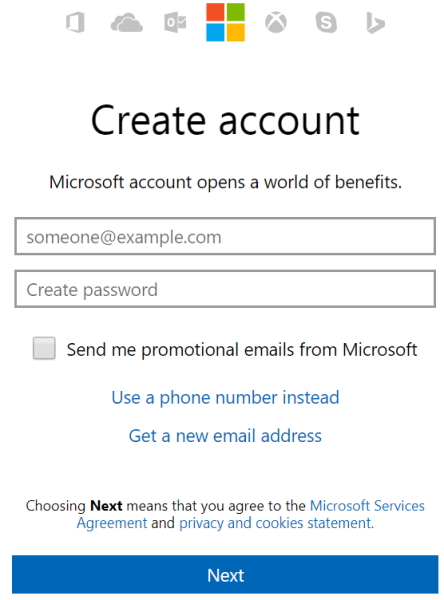
To start, you’ll need a Microsoft account. If you don’t already have one, you can signup here. It’s free, and you can use it in a bunch of other places later, even if you end up not liking Azure.
Create Azure account
Next, go to azure.microsoft.com and create a free account. Signing up with that link will give you $200 in free credit to use on Azure services. You do need to use a credit card to sign up, but it is just for verifying your identity (they don’t want a bunch of spammers and bitcoin bots). Microsoft will not charge you until you say so.
Side note: If you have an MSDN/Visual Studio license, are part of the BizSpark program or have an educational grant through AzureU (ask your professor!), you may already have some free Azure credit on a monthly basis!
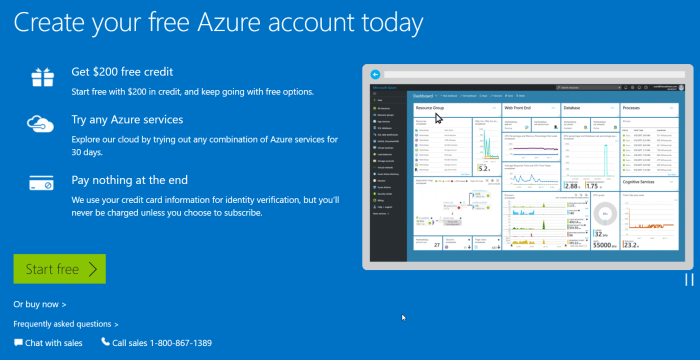
Speaking of money, there are 일부 things you can do in Azure that are absolutely free. But, running Couchbase Server currently requires you to provision Virtual Machines, so if you want to play with Couchbase, you will put that $200 to good use.
Couchbase and Azure: Is $200 enough?
When I first started with Azure, I was very worried that I’d run up a big tab if I wasn’t careful. With the $200 trial, you won’t get charged until you explicitly tell Microsoft to do so. But years later, after my initial trial, I’ve still never had a problem of an unexpectedly high bill.
Quotas
I’ve never had this problem because:
a) Azure services are very reasonably priced, and
b) Microsoft makes it hard to hop on a runaway train of spending money.
In fact, almost a year ago, I was tasked with provisioning a medium-sized cluster of Couchbase nodes on some very beefy Virtual Machines. Lots of RAM, lots of processor cores, 10 total virtual machines all running Couchbase. I started doing this (manually, to begin with) and discovered that Azure actually has a quota that limits the number of cores you can provision. If you want to create a huge Couchbase cluster, you’ll first need to request an increase in the limit on the number of cores and/or virtual machines that you are allowed to have (this is a manual process, again to avoid abuse/surprises/exploitation/etc).
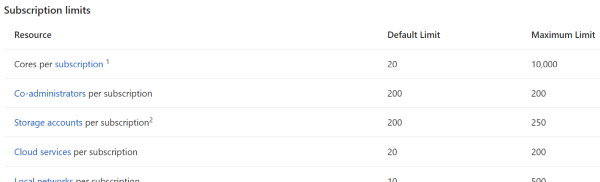
Because of that, I realized that even if I had created an experimental automated script that I accidentally asked to create 100 machines instead of 10, Azure would stop me.
It cost how much?
Until you want to build that huge cluster, you probably won’t need more than $200 to start with, and you won’t need to increase your quota.
As an example, I ran a single-node Couchbase Server on a low-end virtual machine within the last 30 days. I must have provisioned, used it, and tore it down 3 or 4 times. As you can see from the below screenshot of my billing statement, it cost me a grand total of $0.11 for an hour and a half of VM time (and I think there are a few pennies for related services, not shown).
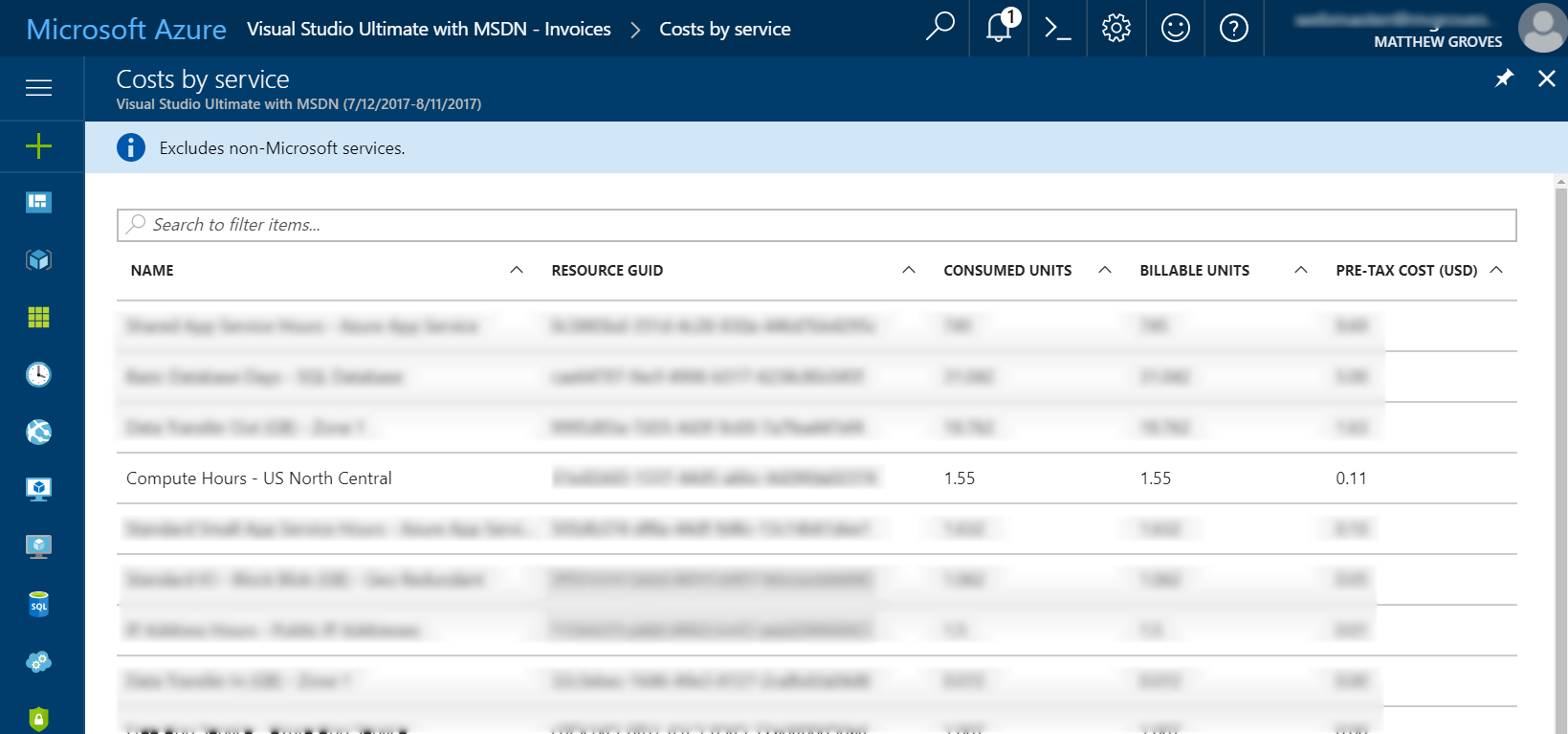
(Some information blurred to protect the innocent).
Your mileage will vary, but my point is that I think you will find it more challenging to use up that $200 credit than you think.
More than enough to get started with Couchbase
Finally, when you’re ready to play around with Couchbase, I encourage you to check out other blog posts about Couchbase Server.
Also, watch this short instructional video on how to provision Couchbase Server clusters automatically. You don’t have to provision a Virtual Machine, install Couchbase, do the initial cluster setup, network them together, etc manually. This video (courtesy of Ben Lackey from the Couchbase Partners team) shows you how to provision a Couchbase Server cluster from the Azure Marketplace.
[youtube https://www.youtube.com/watch?v=q9mBBu0YqJI&w=560&h=315]
요약
If you’ve never used Azure or any cloud computing, now is your chance to get started. I’d love to hear about your experiences with Azure, with Couchbase, and your overall impressions of cloud computing. Please leave a comment below, or talk to me on Twitter @mgroves.

댓글 남기기
댓글을 달기 위해서는 로그인해야합니다.