
There is a Couchbase plugin available for use with any JetBrains IDE, including: IntelliJ IDEA, Android Studio, AppCode, Aqua, CLion, Code With Me Guest, DataGrip, DataSpell, GoLand, MPS, PhpStorm, PyCharm, Rider, RubyMine, RustRover, and WebStorm.
Over on Couchbase social media (X 그리고 링크드인), there has been a series of short videos showcasing what you can do with this plugin.
Those videos have been compiled into one longer video, which you can watch here:
Getting Started
Adding the Couchbase plugin is straightforward. Go to File > Settings > Plugins, find the Couchbase plugin in the Marketplace, and install it.

Once installed, you’ll have a dedicated Couchbase tab from which to perform helpful Couchbase tasks.
What Can You Do with It?
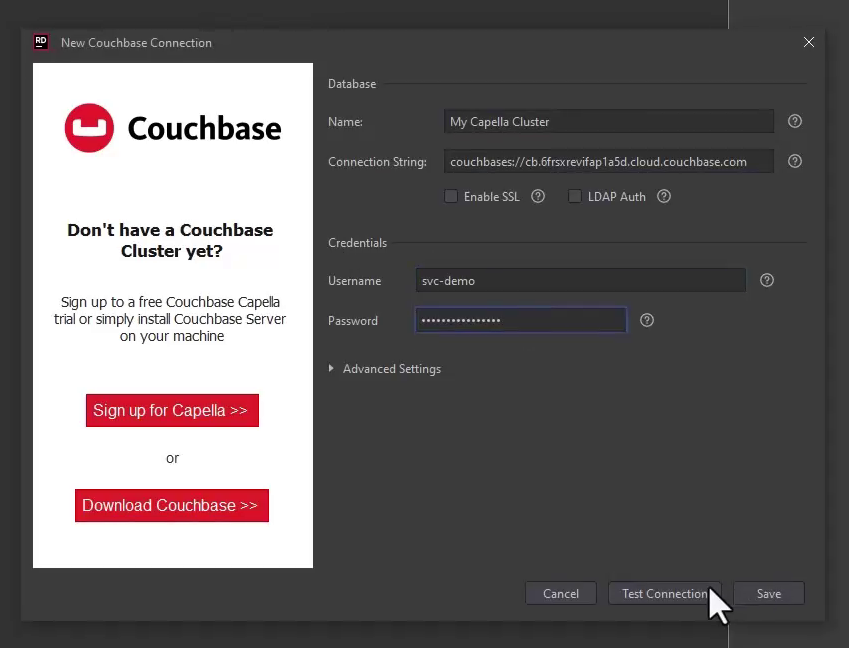
Once you’ve installed the plugin, you can connect to your own Couchbase server or to Couchbase Capella in the cloud. If you haven’t tried Capella yet, you can sign up for a 30-day free trial (no credit card needed).
Work with Your Data Efficiently
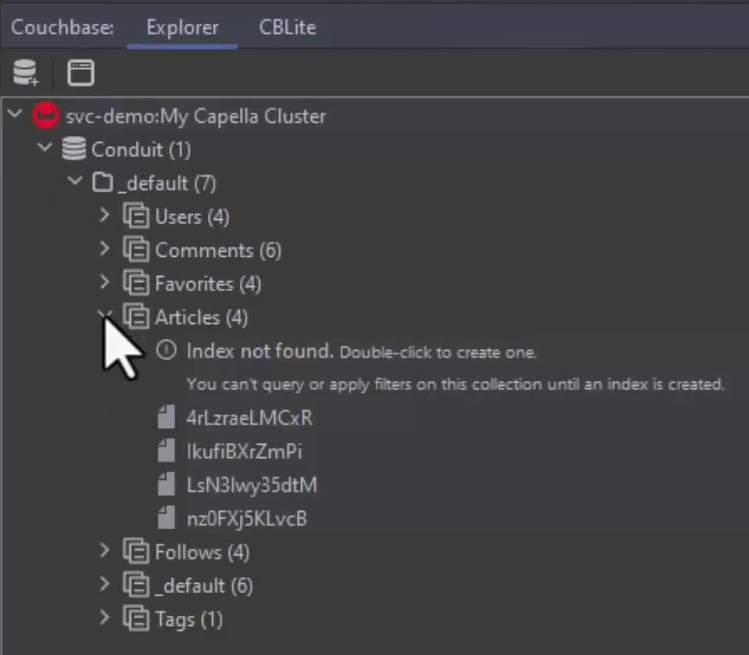
With the plugin, you can directly access and manage your database’s buckets, scopes, collections, indexes, and documents from within the IDE.
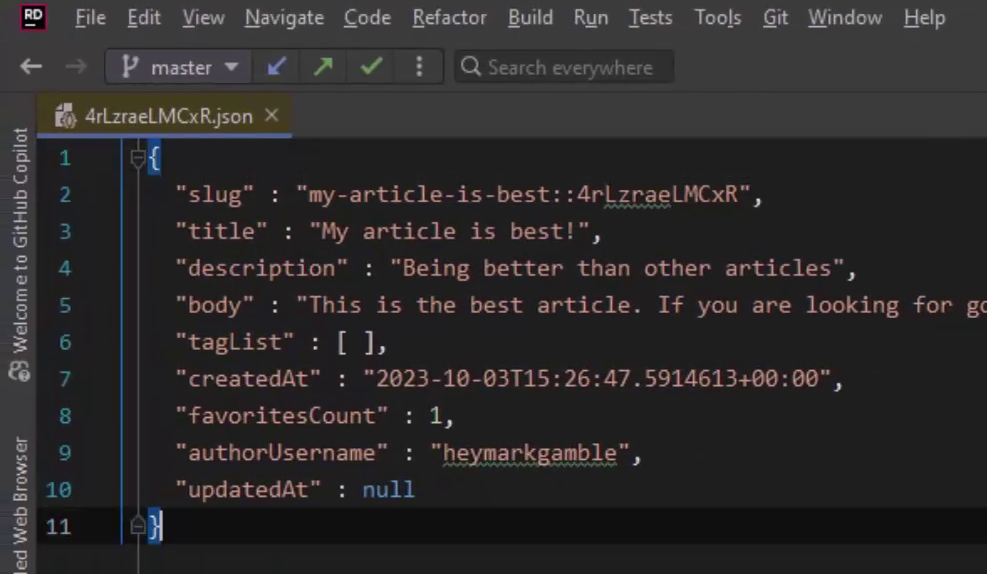
It allows you to edit documents and save changes back to the database without leaving your coding environment.
Smart Features to Help You Out
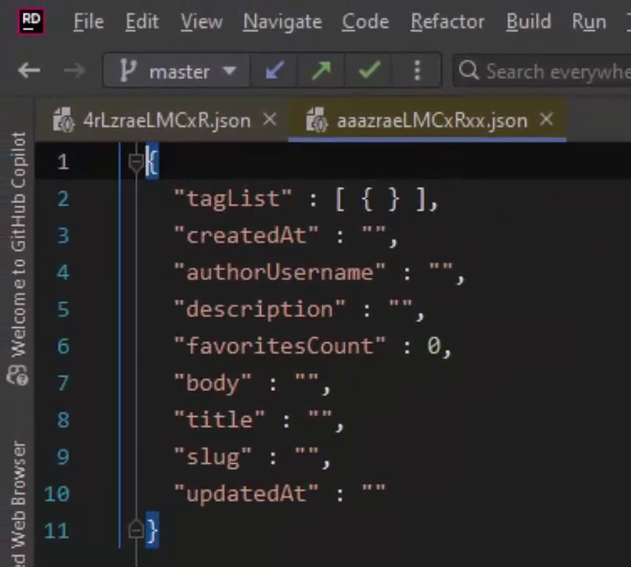
When creating new documents, the plugin can automatically suggest document structures based on your existing data, helping you keep your JSON documents consistent.
It also includes a SQL++ Workbench where you can write and run queries, check the results in JSON or table view, and even see a breakdown of how your queries are running with a detailed execution plan.
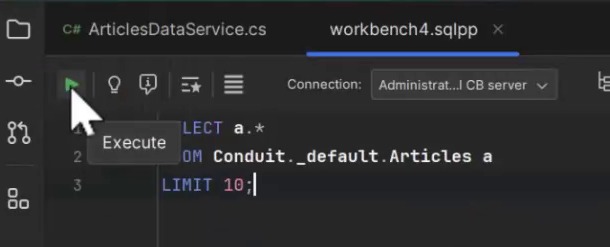
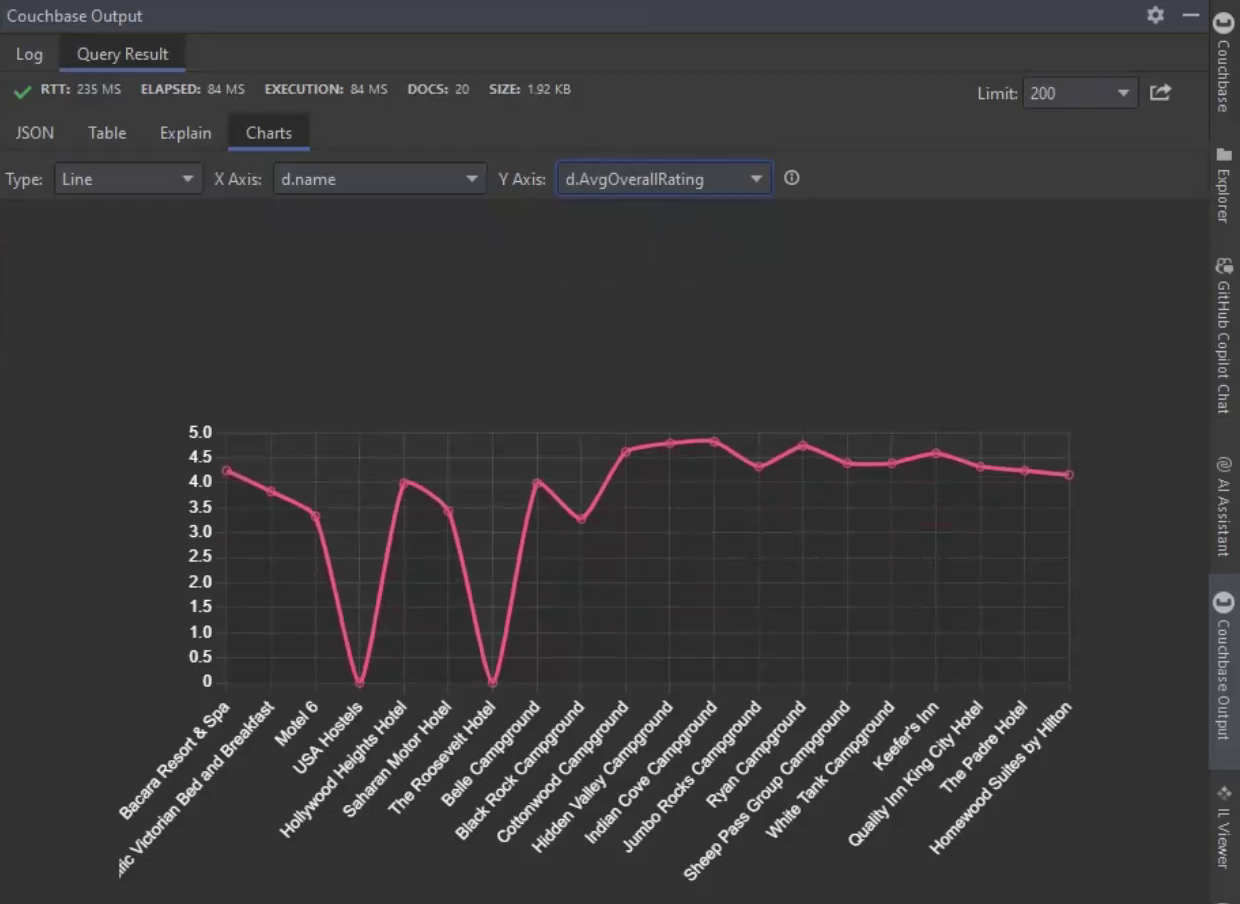
Visual Data Tools
Need to visualize your data? The plugin comes with tools to create charts and graphs.
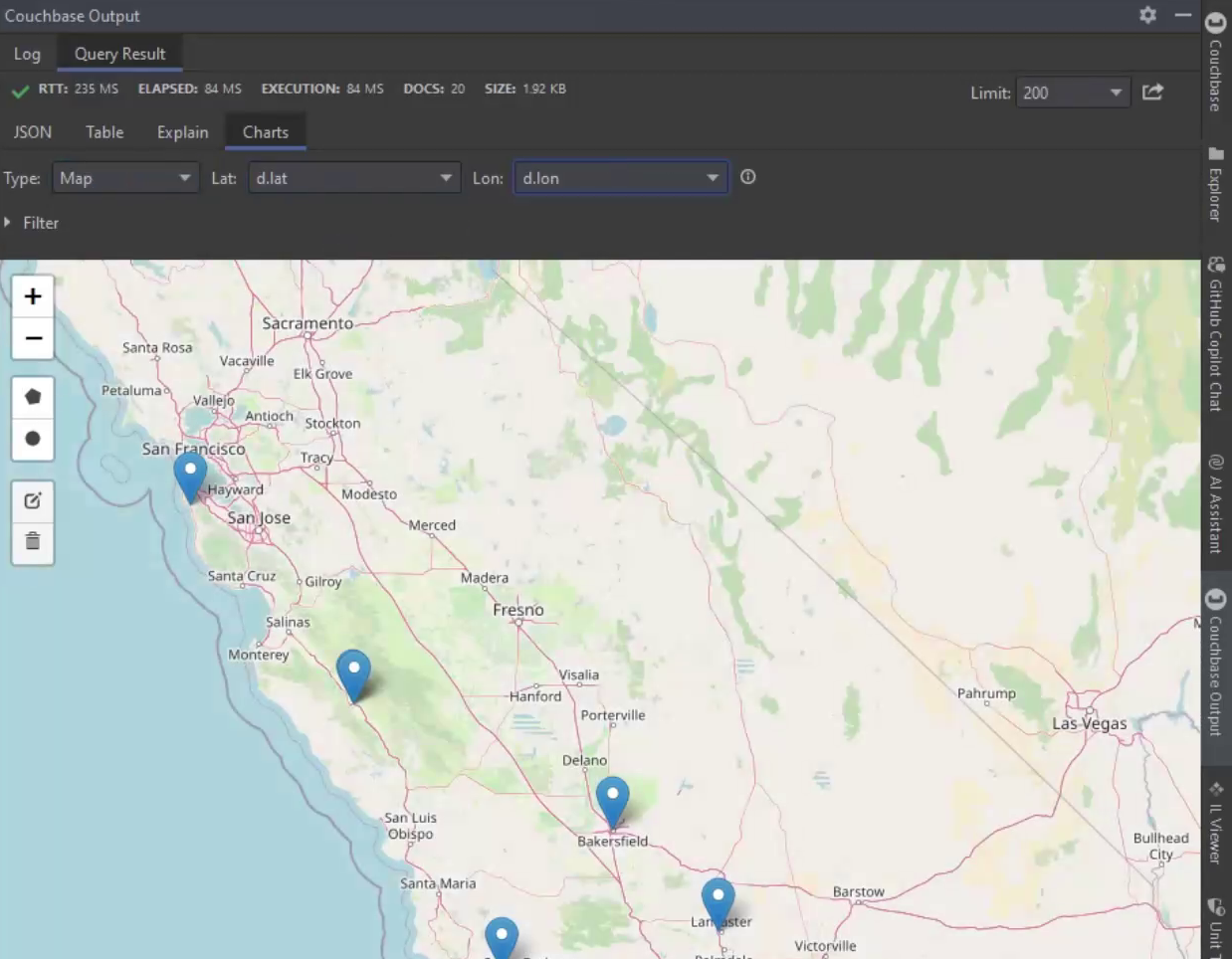
Map views of geospatial data are also included, which is great for data with geographical information (like latitude and longitude).
Easy Data Migration
The plugin also supports moving data and indexes from MongoDB to Couchbase, which is handy if you’re considering multiple databases or moving off of MongoDB.

Couchbase Lite Integration
For those working on mobile or edge computing, the plugin supports Couchbase Lite, an embedded database that syncs with Couchbase Capella or your local server.

This feature is perfect for building apps that need to work offline. You can manage Couchbase Lite databases right from your IDE, making your workflow smoother.
Why Use the Couchbase Plugin?
The Couchbase plugin for JetBrains/IntelliJ IDEs turns your favorite IDE into a powerful tool for managing both local and cloud databases.
It’s designed to make your development work easier, and with less context switching:
- Connecting to Couchbase
- CRUD operations on data
- SQL++ queries and index analysis
- Visualization
- Data migration
- 코우치베이스 라이트
The plugin is also fully open source, so you can see upcoming features, exactly how it works, make suggestions, submit bugs, and even extend it to suit your needs.
Install the Couchbase plugin today and start making your JetBrains IDE work harder for you.

댓글 남기기
댓글을 달기 위해서는 로그인해야합니다.