
How to do “something” in N1QL?
First of all, if you are not familiar with N1QL I highly recommend you to spend a few minutes in our free N1QL training 여기, or just play with it 여기.
Second, as it is a broad question, let’s go through some common scenarios:
Select the id of a document and all its attributes:
|
1 |
Select meta(t).아이디 as 아이디, t.* 에서 `myBucket` t where 유형 = ‘someType’ |
How to write a JOIN:
Let’s query which companies fly from San Francisco airport (SFO) to anywhere in the world using the travel sample:
|
1 2 3 4 5 6 7 |
선택 항공사.이름, 항공사.callsign, route.destinationairport, route.stops, route.항공사 ~에서 `여행–sample` route JOIN `여행–sample` 항공사 ON KEYS route.airlineid 어디 route.유형 = “route” AND 항공사.유형 = “항공사” AND route.sourceairport = “SFO” AND route.stops = 0 주문 에 의해 항공사.이름 |
그 JOIN clause looks like a standard SQL JOIN, the only difference here is the ON KEYS keyword, to read more about it check this article explaining visually N1QL JOINs. Couchbase 5.5 will also add support to ANSI JOINs
How to select items of an array:
Given documents like:
|
1 2 3 4 5 6 7 8 9 10 11 12 13 14 |
{ 유형: “person”, 이름: “John”, children: [ { “이름”: “Pedro”, “age”: 8 }, { “이름”: “George”, “age”: 11 } ] } |
If we want to select all children who are more than 10 years old, we could use the UNNEST keyword:
|
1 |
선택 c.* ~에서 tutorial t UNNEST t.children c 어디 c.age < 10 |
Why my query is slow?
Probably your query is not hitting any indexes. You can check that by running your query with the 설명하다 keyword, as follows:
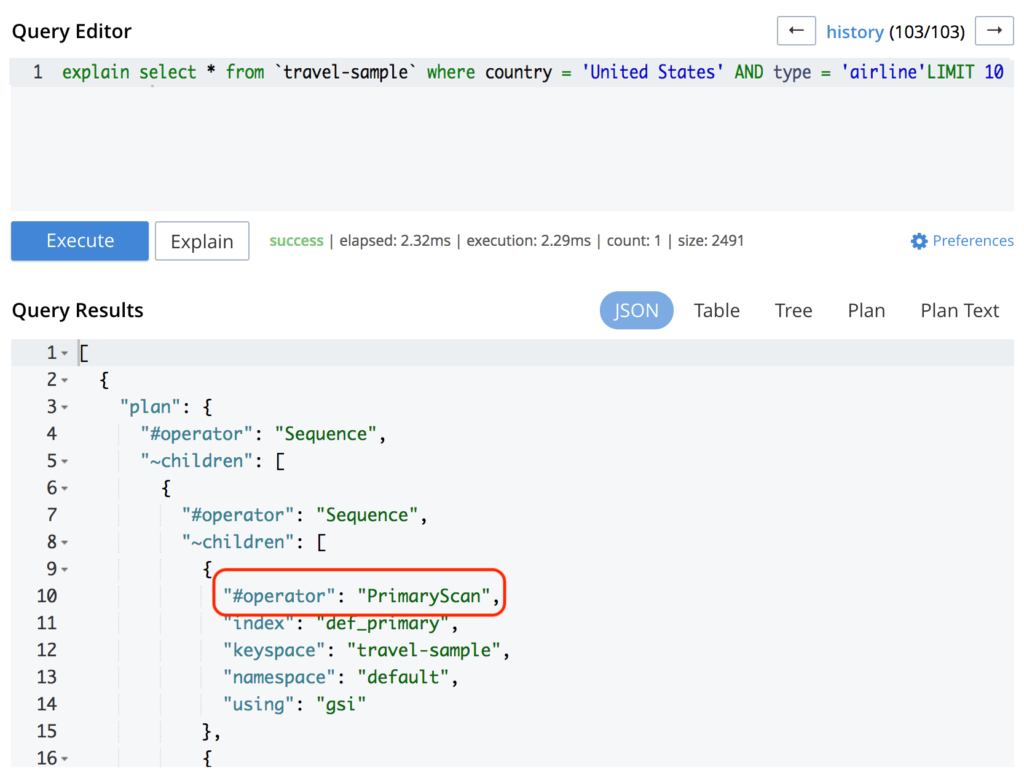
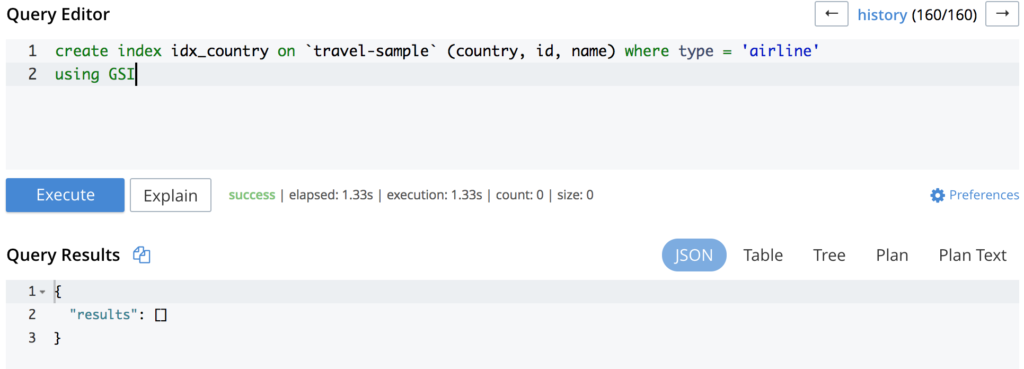
As you can see in the image above, the query is hitting the PrimaryScan which means that it is using the primary index. Creating a secondary index for it will potentially solve your problem:
Executing the same query again will output something like:
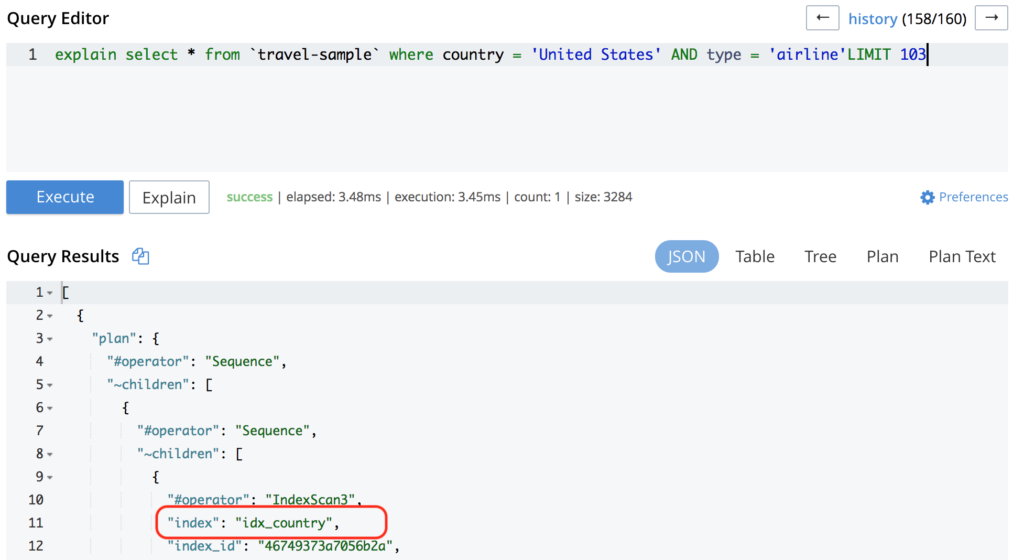
If your query is already hitting an index but still has a poor performance, you might want to add a more optimized index (like in this example). If you are not familiar with how to create an index, check out this blog post
How to paginate results in N1QL?
You can use 한계 그리고 OFFSET:
|
1 |
select * 에서 `여행–sample` where country = ‘United States’ OFFSET 10 한계 10 |
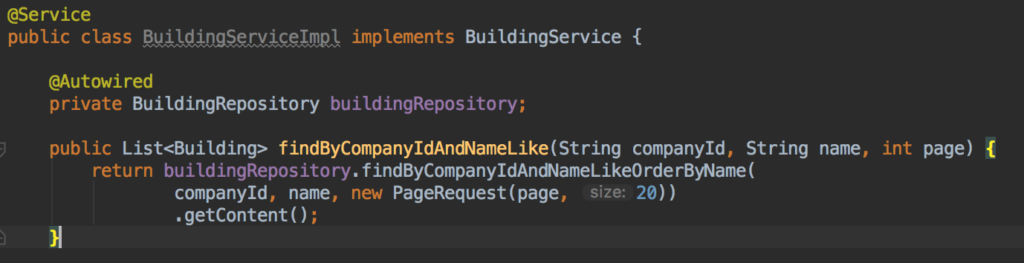
확인해 보세요 this tutorial to read more about it. Additionally, if you are using Spring Data you can add a Pageable object to the end of your method definition:

And then, in your Service you can use the PageRequest object:
My query has missing results/wrong results
By default, Couchbase supports read-after-writes whenever you get a document by its key, but your indexes and views are updated asynchronously via Data Change Protocol (DCP). So, if you are executing a query right after a write, it might be executed before the views/indexes had a chance to be updated.
Couchbase is all about speed, and no one has time to wait until all indexes and views are updated to send the response back to the client that a write has been executed successfully.
But there are few scenarios where strong consistency between writes and your queries are actually needed, for those cases you can specify via SDK that you actually want to wait until the index/view you are using is updated:

To read more about scan consistency, please refer to the 공식 문서.
In my personal experience, I only scenario where I do need consistency between writes and queries is during the integration tests phase, which is when you actually insert data and query it right after.
How to Creating/use Array Indexes.
This is an interesting topic, as array indexing might speed up significantly your performance. So, let’s say we have the following document structure:
|
1 2 3 4 5 6 7 8 9 10 11 12 13 14 15 16 17 18 19 20 21 22 23 24 25 26 27 28 29 30 31 |
{ “address”: “Capstone Road, ME7 3JE”, “alias”: null, “city”: “Medway”, “country”: “United Kingdom”, “설명”: “40 bed summer hostel about 3 miles from Gillingham, housed in a districtive converted Oast House in a semi-rural setting.”, “directions”: null, “email”: null, “fax”: null, … “id”: 10025, “이름”: “Medway Youth Hostel”, “pets_ok”: 참인, “phone”: “+44 870 770 5964”, “price”: null, “reviews”: [ { “author”: “Ozella Sipes”, “콘텐츠”: “Some review here…”, “날짜“: “2013–06–22 18:33:50 +0300“, “ratings“: { “Cleanliness“: 5, “Location“: 4, “Overall“: 4, “Rooms“: 3, “Service“: 5, “가치“: 4 } } ] } |
Now, if we need to query hotel reviews, we could do something like:
|
1 |
선택 c.* ~에서 `여행–sample` t UNNEST t.reviews c where t.유형 == “hotel” limit 100 |
So, the simplest index for the reviews array will look like the following:
|
1 |
생성하다 INDEX idx ON `여행–sample` (reviews) 어디 유형 = “hotel”; |
And then, when we execute the query, voilà:
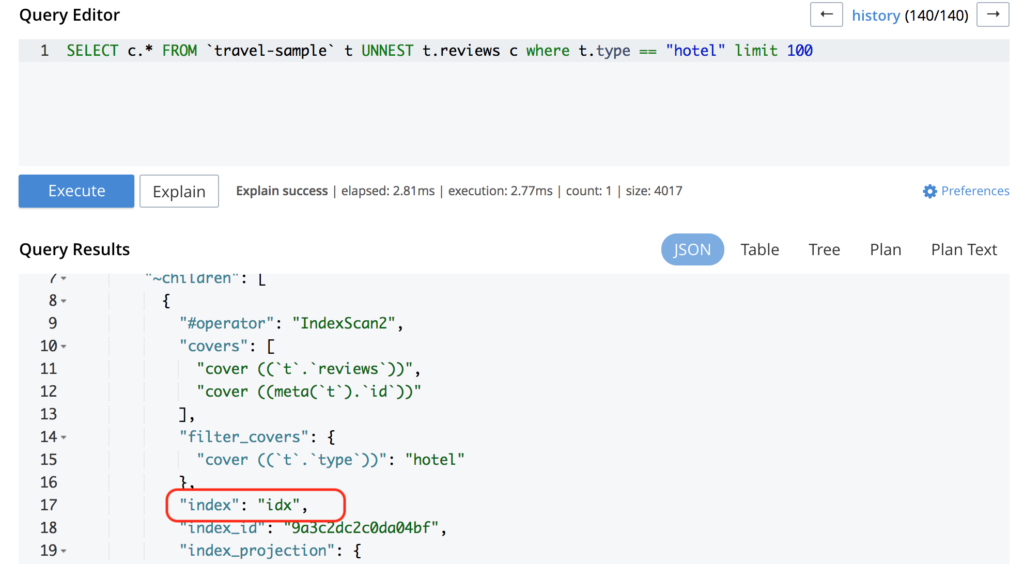
It is using the recently created index.
For more examples, check the 공식 문서 or read this excellent article about how to optimize array indexes.

댓글 남기기
댓글을 달기 위해서는 로그인해야합니다.