

Servidor Couchbase can be easily downloaded and installed on your local machine. However a common way to run it is on Amazon. This blog will explain how you can run Couchbase on
Amazon.
Servidor Couchbase can be easily launched on Amazon Web Services using Couchbase on AWS Marketplace. Click on Continue and review the settings
in 1-Click Launch as shown below:

This is using Couchbase Server 4.0 Community Edition and an m3.large instance.
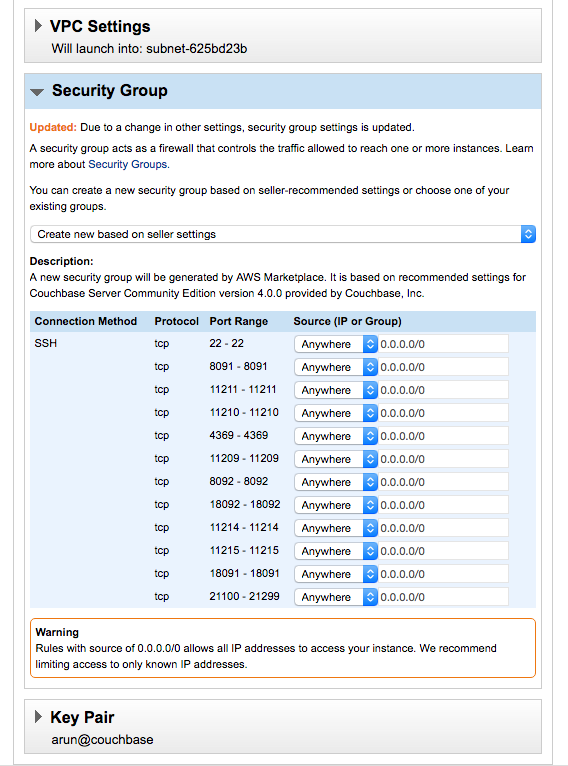
A new security group with all the relevant ports exposed will be automatically created. This group’s name is Couchbase Server Community Edition-4-0-0-AutogenByAWSMP-. This group is created once and can be repurposed if you launch another
instance.
You may have to create a new key pair as explained here.
Click on “Accept Software Terms and Launch with 1-click”. The following confirmation window will be shown:
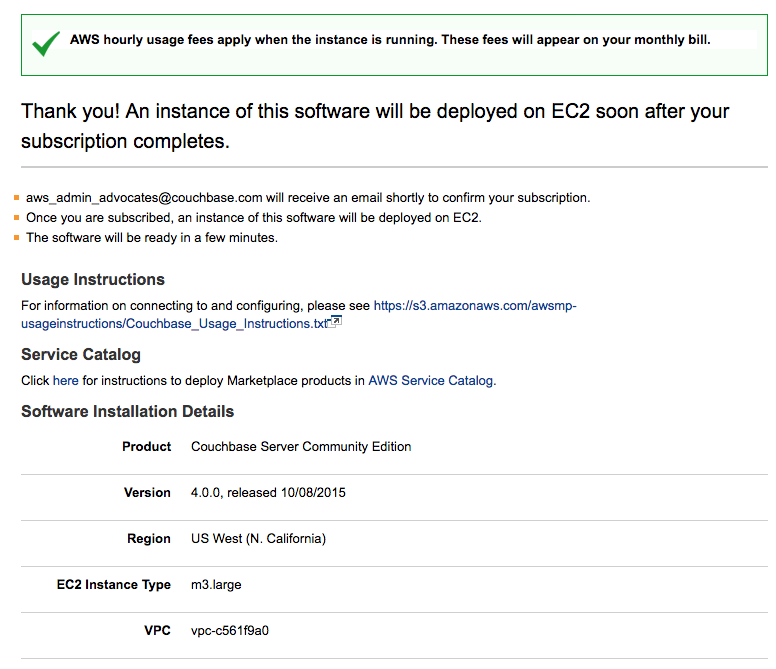
Wait for a few minutes for the image to be provisioned. AWS EC2 Console should show the status as  “2/2 checks passed” as shown:
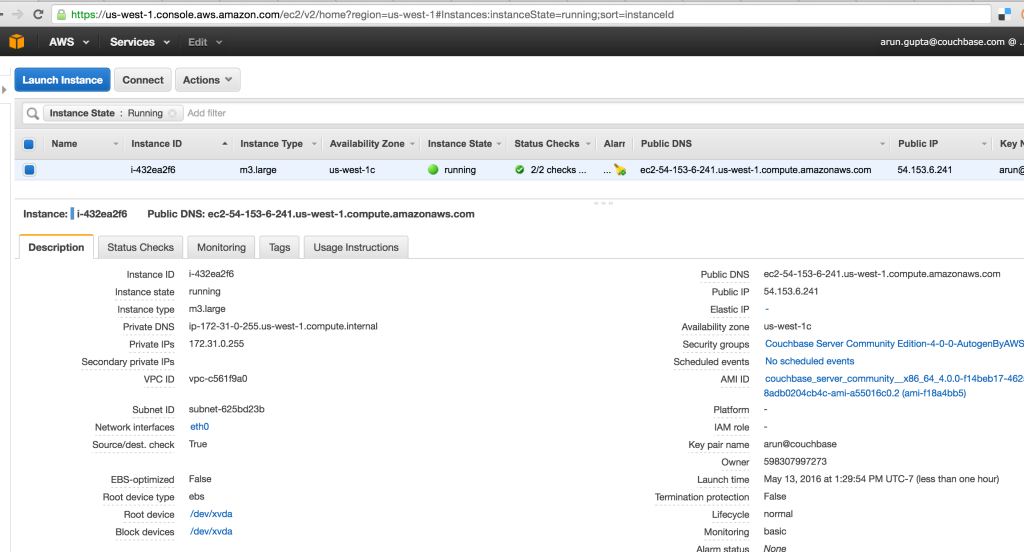
Get the public DNS address and access Couchbase at https://:8091. In our case, this will be https://ec2-54-153-6-241.us-west-1.compute.amazonaws.com:8091/index.html. Note, that this instance is
now shutdown and so is not available ;)
Couchbase on Amazon Usage Instructions provide more details about how to use Couchbase on Amazon. :8091 shows a
login screen. A default username is Administrator and the password is your instance id:
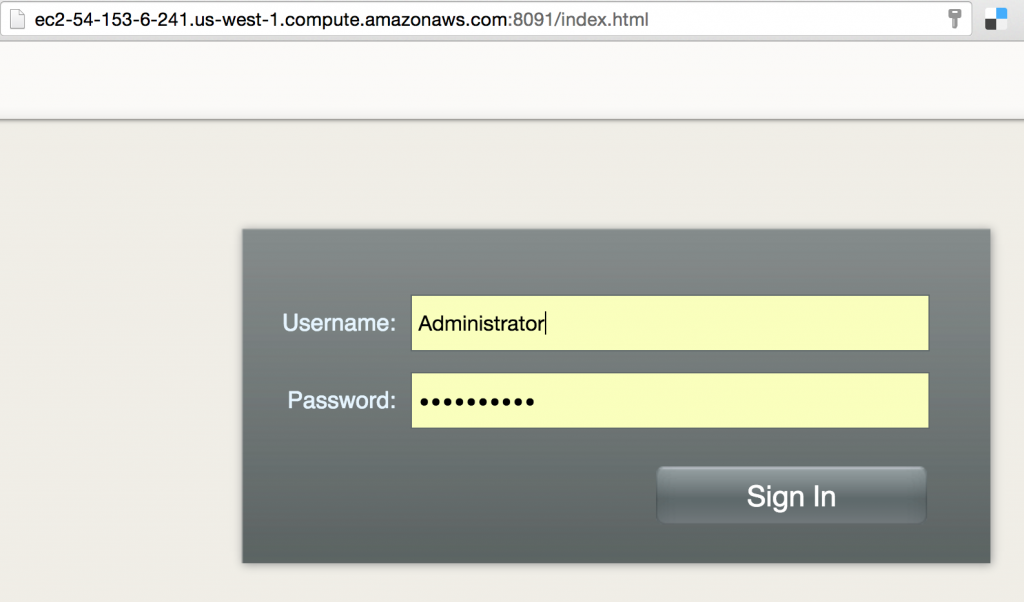
And clicking on Sign In shows the Consola web de Couchbase:

Further references …
- Couchbase Server Developer Portal
- Couchbase Downloads
- Couchbase Server Developer Portal
- Questions on StackOverflow, Foros o Slack Channel
- Follow us @couchbasedev
- Couchbase 4.5 Beta
¡Disfruta!
Autor

Una respuesta
-
Thanks for the helpful article! However, the Community Edition is no longer available “to new customers” in AWS. Can you tell me why this product offering was withdrawn? It was very helpful in introducing new customers to Couchbase in a low-risk, low-cost environment.

Deja un comentario
Lo siento, debes estar conectado para publicar un comentario.